Funds
A fund's investors, their documents and what each has signed, in one room. Funds come with the Business plan, with its data rooms and bulk send. Every picture on this page is of an example fund, Harbour Lane Ventures II, whose names and amounts are made up.
What a fund is
A register of investors and the room they read, made together.
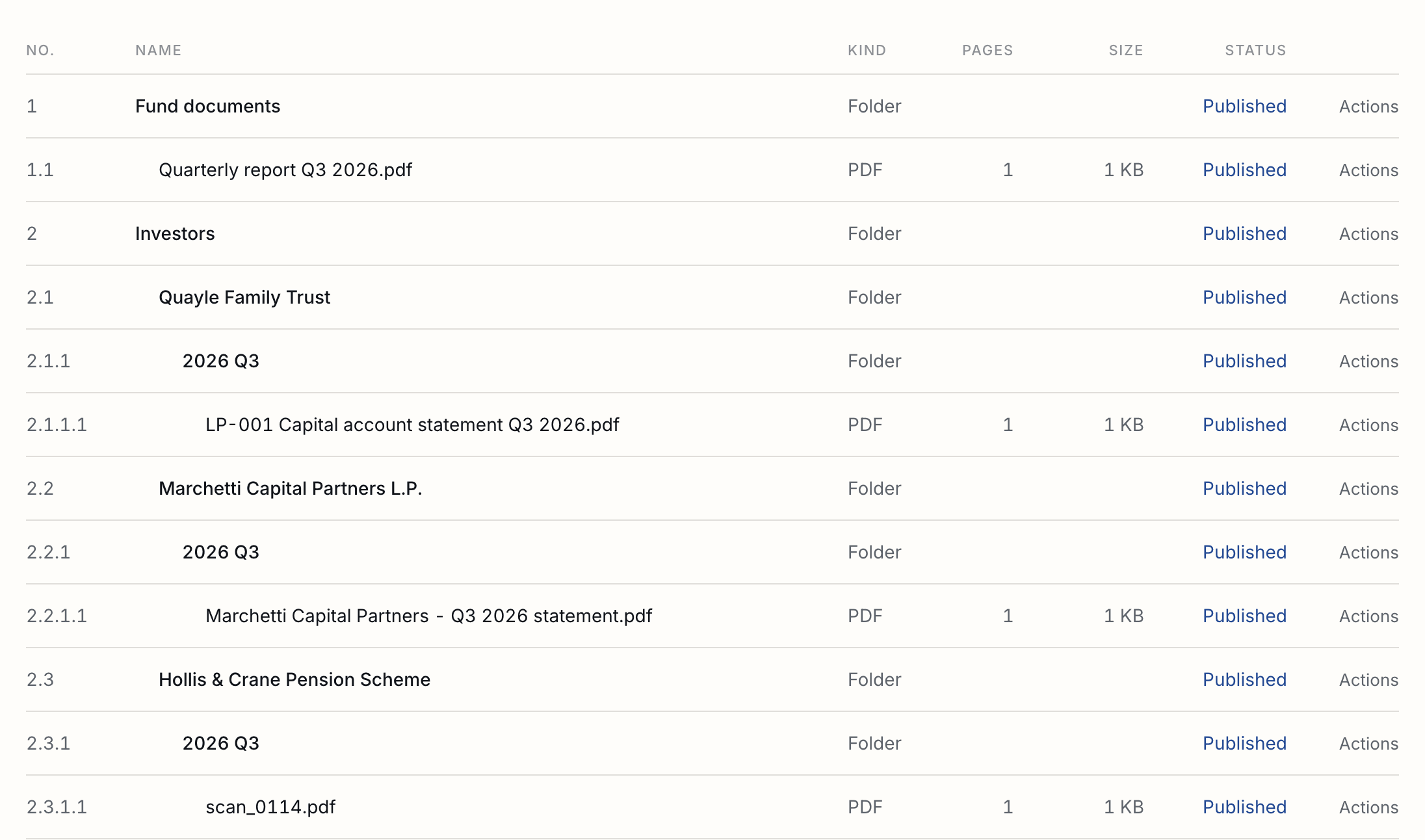
A fund is a register of investors and the room they read, made together. The register holds each investor: its name, the reference your administrator gives it, its commitment, whether its side letter gives it a most favoured nation right, and its people. The room starts with three folders: Fund documents, which every investor can read; Investors, with a folder of its own for each investor; and Portfolio reports, which no investor sees.
| Who runs it | Members who manage rooms. Sending a side letter, election forms or a round needs sending rights as well. |
|---|---|
| Its room | A data room like any other, so everything in the Data Rooms guide works in it. Opening it to investors counts as one of your open rooms. |
| Its currency | One per fund. It is fixed once a commitment or a round is in it. |
A quarter, start to finish
The whole of it in eight steps, each explained below.
Steps one to three are done once. After that, a quarter is steps four to six.
- Make the fund and read in your register from a spreadsheet. Setting up a fund
- Open it to investors. Each investor’s people get a link of their own. Who sees what
- Put what every investor should read, such as the quarterly report, in Fund documents.
- Drop in the quarter’s statements for every investor at once, and check how each was matched. Delivering a quarter’s statements
- Decide the files it could not match, and deliver. Each person is emailed once.
- See who has opened theirs, and remind the rest with one button.
- When side letters are signed, record what they grant; after the final close, send the MFN election forms. MFN elections
- Send a capital call with each investor’s amount worked out for you. Capital calls and other rounds
Setting up a fund
Make the fund, read in your register from a spreadsheet, and check each investor's people.
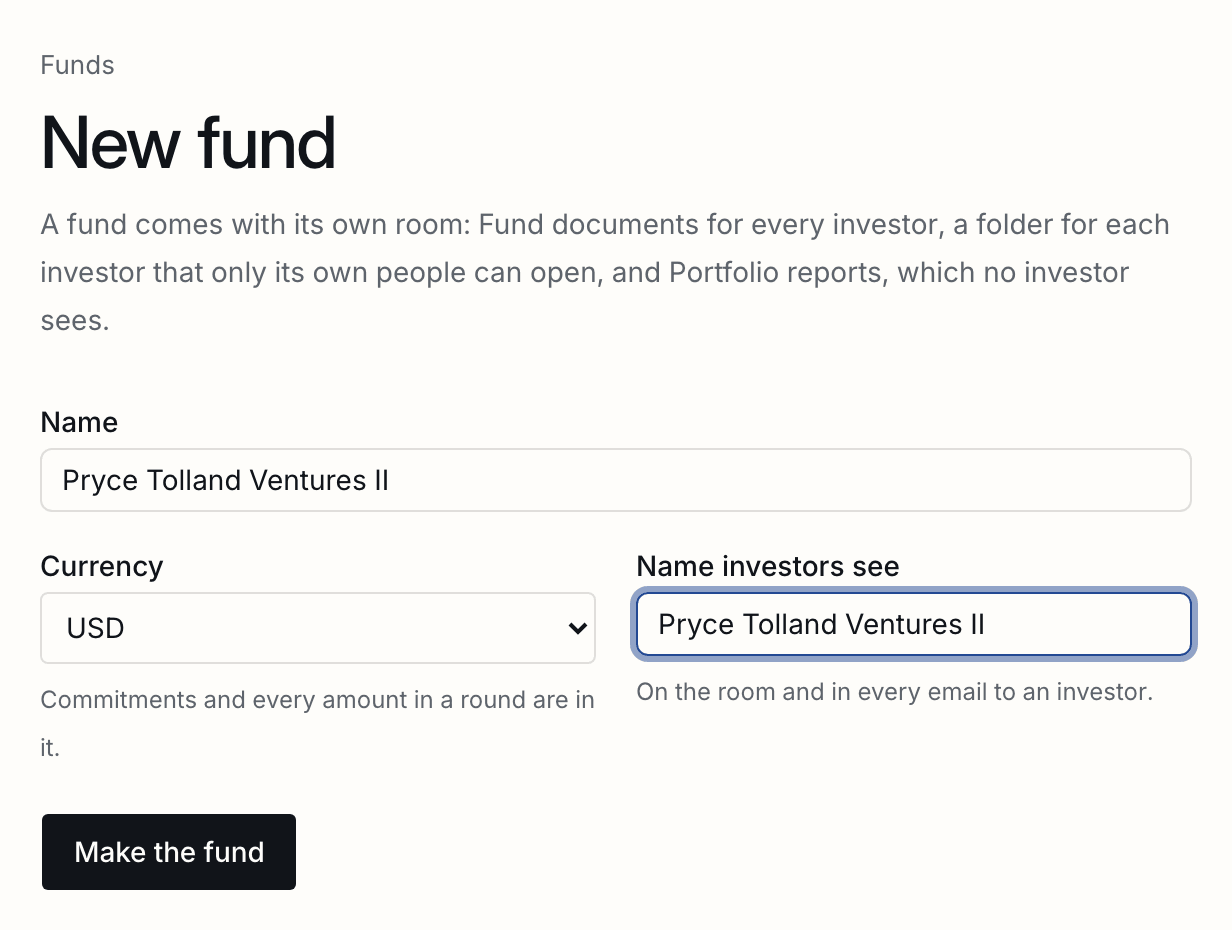
- Open Funds, and press New fund. Give it the name you use, the currency its commitments are in, and the name investors should see on the room and in their emails.
- Press Read in a spreadsheet, and choose your register as a CSV or Excel file. Each row becomes an investor, with its own folder in the room.
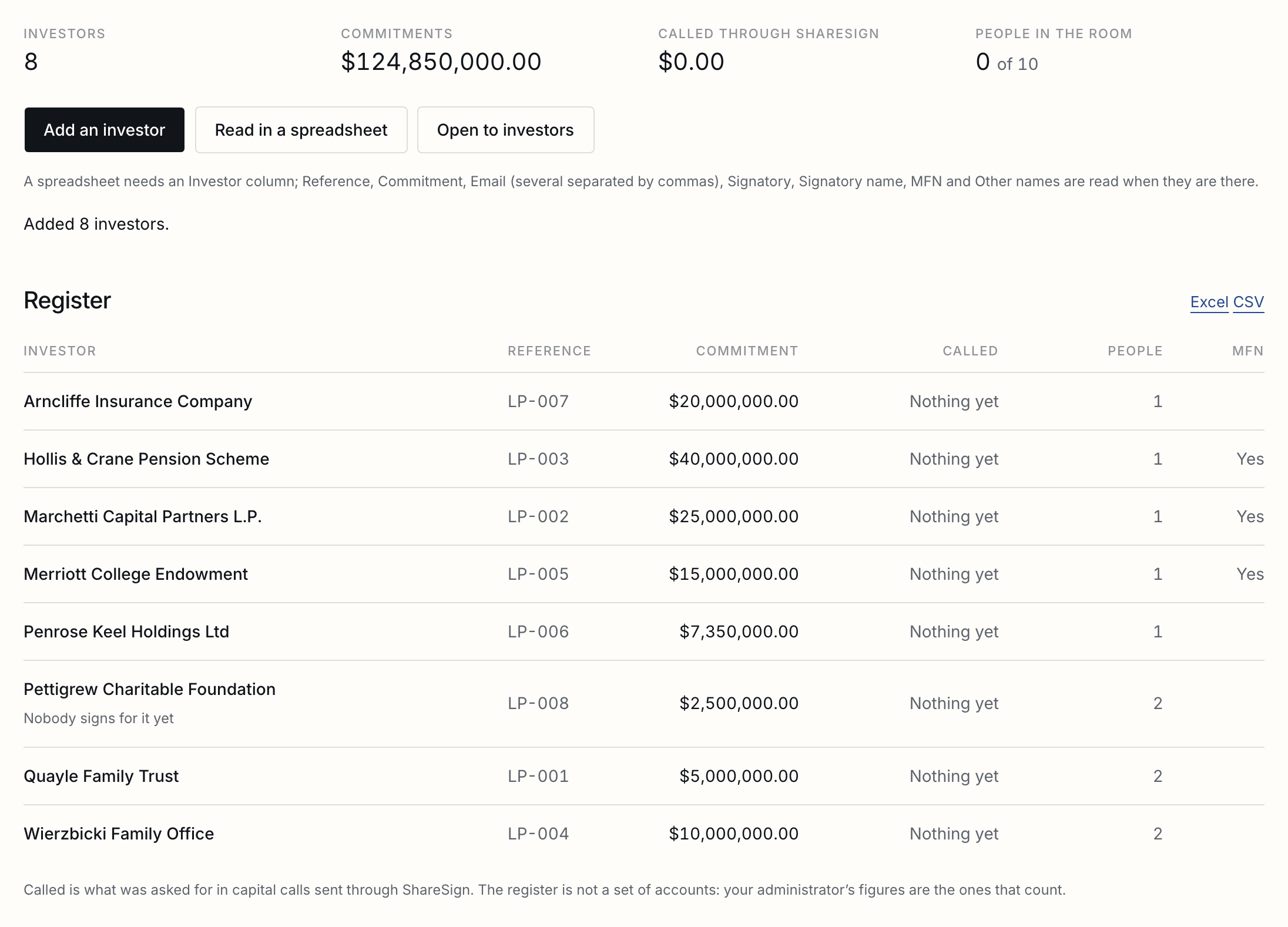
Only an Investor column is needed. These are read when they are there, whatever order they are in:
| Reference | Your administrator's code for the investor, LP-017 for example. It is how most files are matched, so it is worth having. |
|---|---|
| Commitment | In the fund's currency: 5,000,000, $5m and 5000000 all work. |
| Its people, separated by commas or semicolons. Each can open the investor's folder once the fund is open. | |
| Signatory and Signatory name | Who signs for the investor. A row with one address and no signatory named has that person sign. A signatory with no name signs under the investor's name. |
| MFN | Yes for an investor whose side letter gives it a most favoured nation right. |
| Other names | Names it goes by in file names, such as SFT for Smith Family Trust, separated by commas. |
A row whose reference is already in the fund is left out and named, with its row number in your spreadsheet, and so is a row with an address or an amount that cannot be read. Nothing is merged into an investor already there.
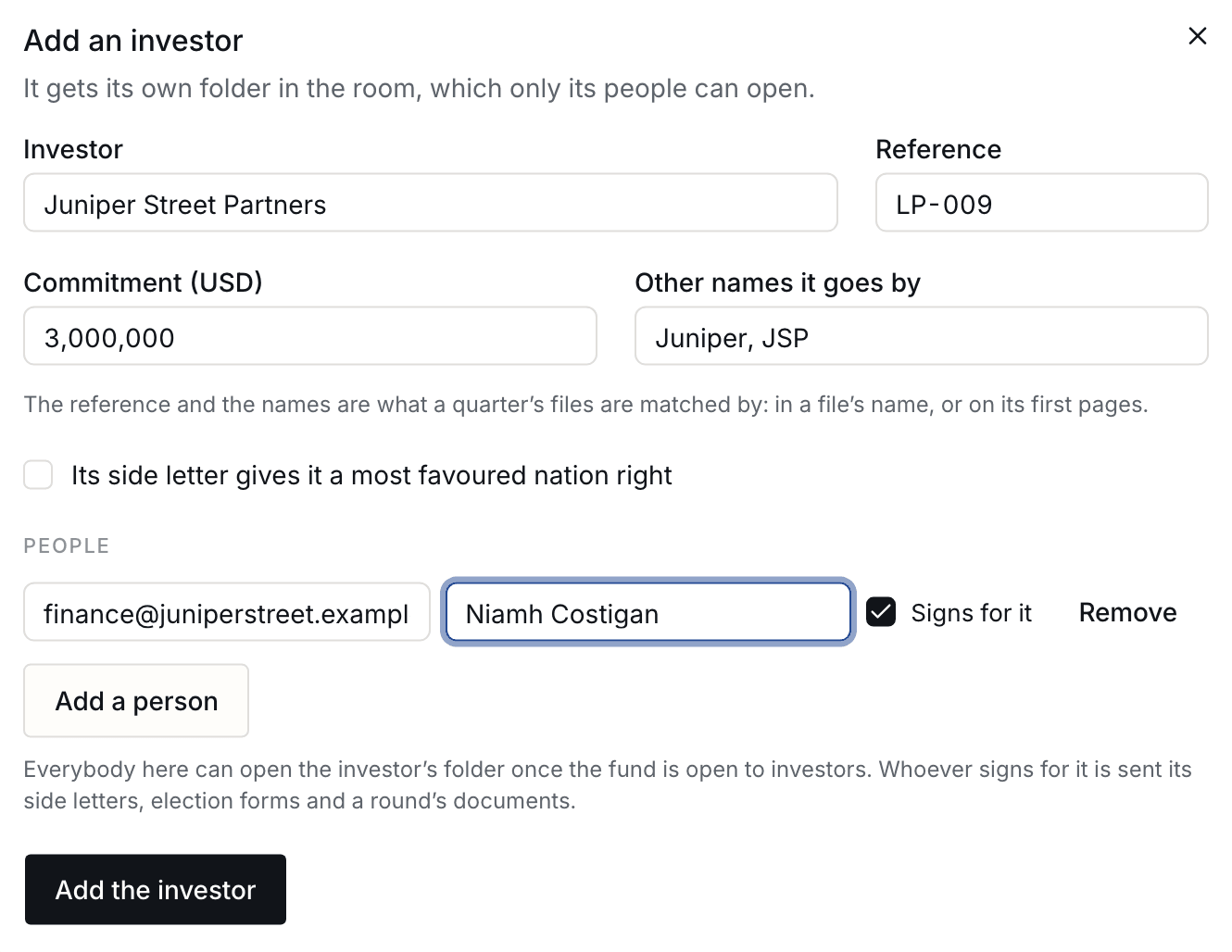
- Add anyone else by hand with Add an investor. Mark whoever signs for it.
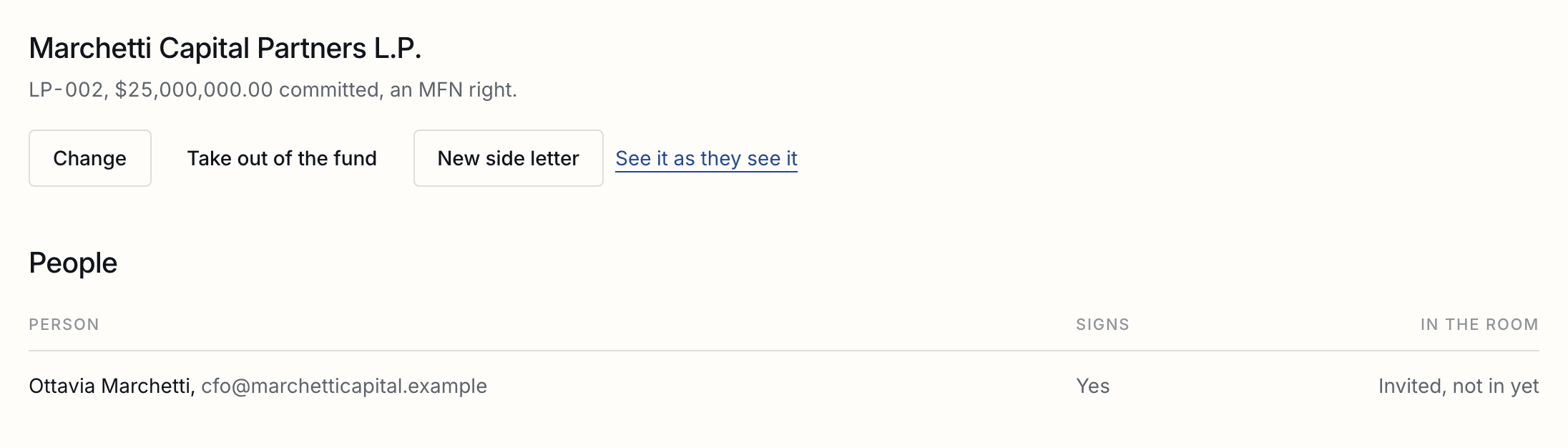
Each investor has a page of its own: its people and whether they are in the room yet, what was delivered to it, its side letters and election forms, and the provisions it has.
Who sees what
Fund documents for every investor, one folder each for their own, and one link for an adviser to several.
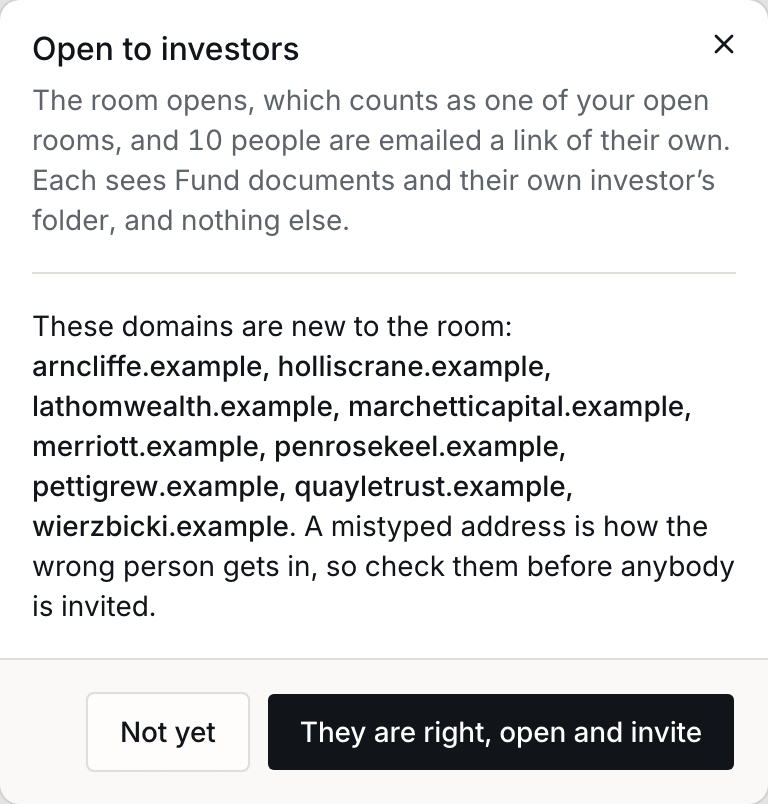
Nobody is invited until you open the fund to investors. Press Open to investors on the register. Every domain the room has not had before is named for you to check, because a mistyped address is how the wrong person gets in; nobody is invited until you say the domains are right.
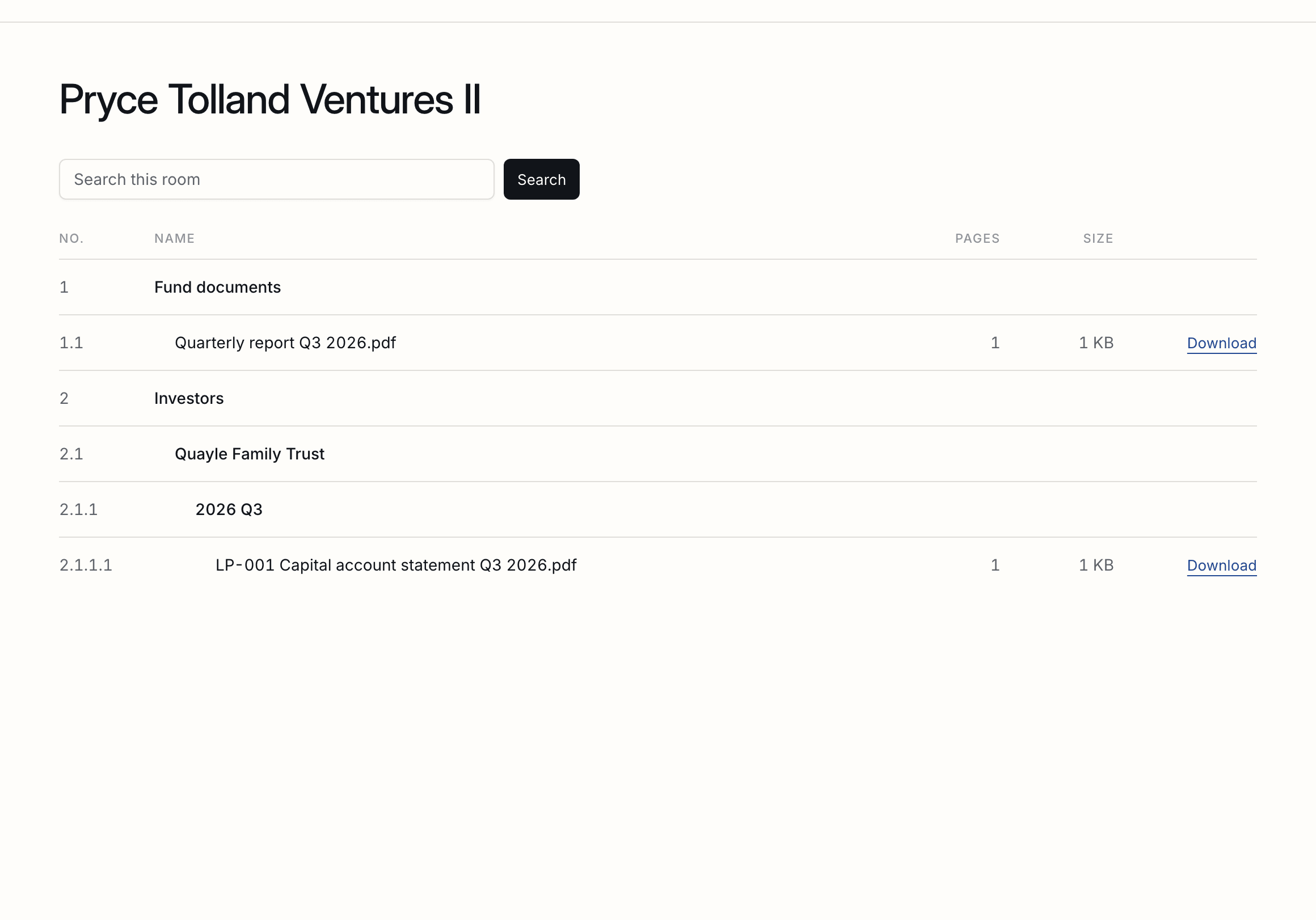
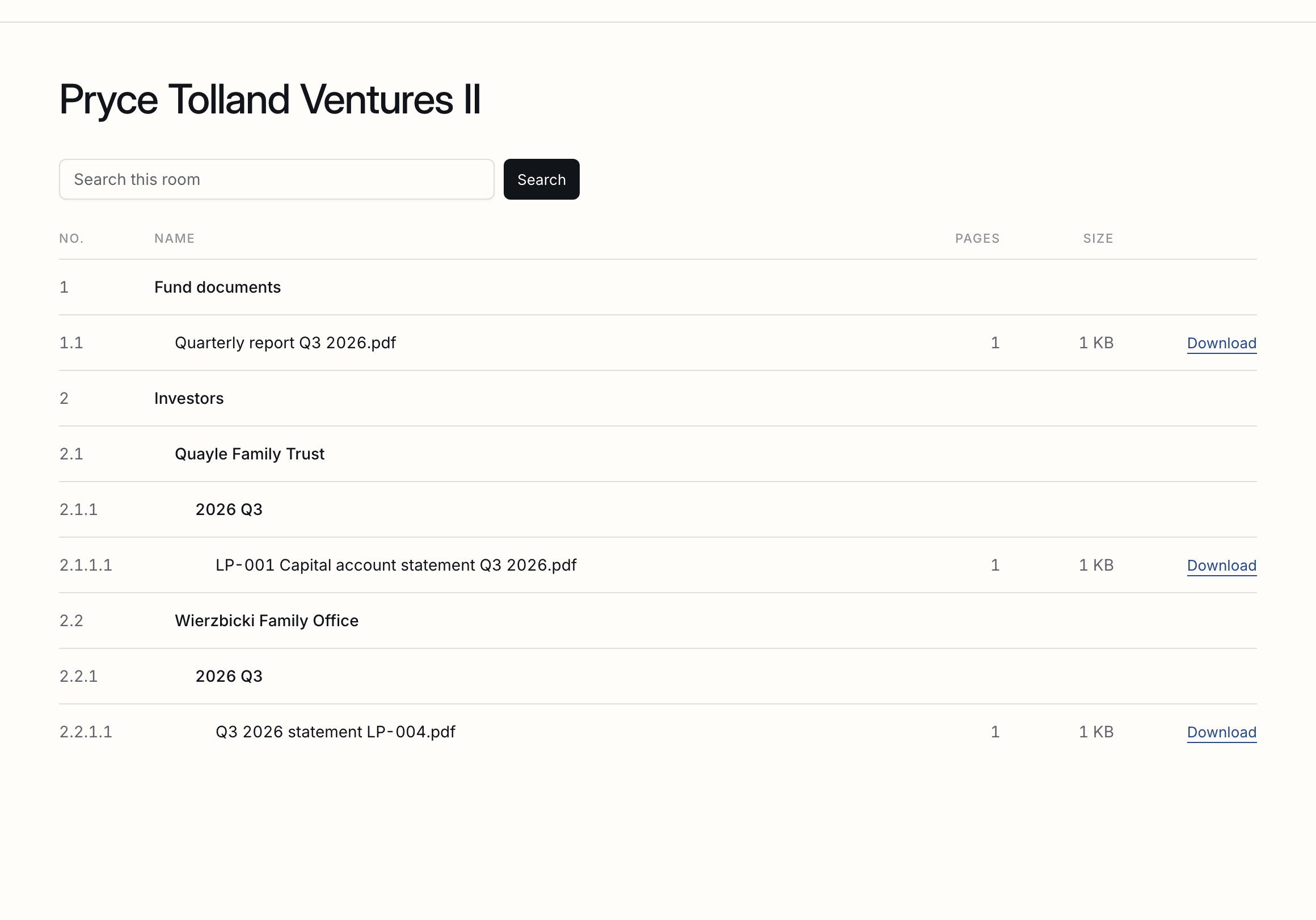
Each person is emailed a link of their own, and a new device asks for a code sent to their address. They see Fund documents and their own investor’s folder, and nothing else: not another investor’s folder, name, commitment or people.
| Your own index | Keeps the room's numbers, and every investor's folder, as any room does. The record of who opened what keeps the room's numbers too. |
|---|---|
| See it as they do | Every investor's page has See it as they see it, which shows its view before anybody is invited. |
| Taking one out | Take out of the fund, on its page, shuts its people out at once, unless they also act for another investor. Its folder and its record stay, and it can be let back in. |
| Adding people later | Once the fund is open, somebody added to an investor is invited when you save. |
Delivering a quarter's statements
Every investor's files dropped in at once, matched with the reason shown, checked, and delivered with one email a person.
- Open Deliveries, and press New delivery.
- Drop in the quarter’s files for every investor at once, or press Choose files: statements, notices, tax forms, one or several for each investor. Nothing reaches an investor yet.
- Read the Investor and Why columns. Each file is matched to one investor by its reference or name in the file name, or, when the name says nothing, on its first two pages, and the reason is written beside it. The period is read from the file names; change it if it is wrong, and add a line for the email if you want one.
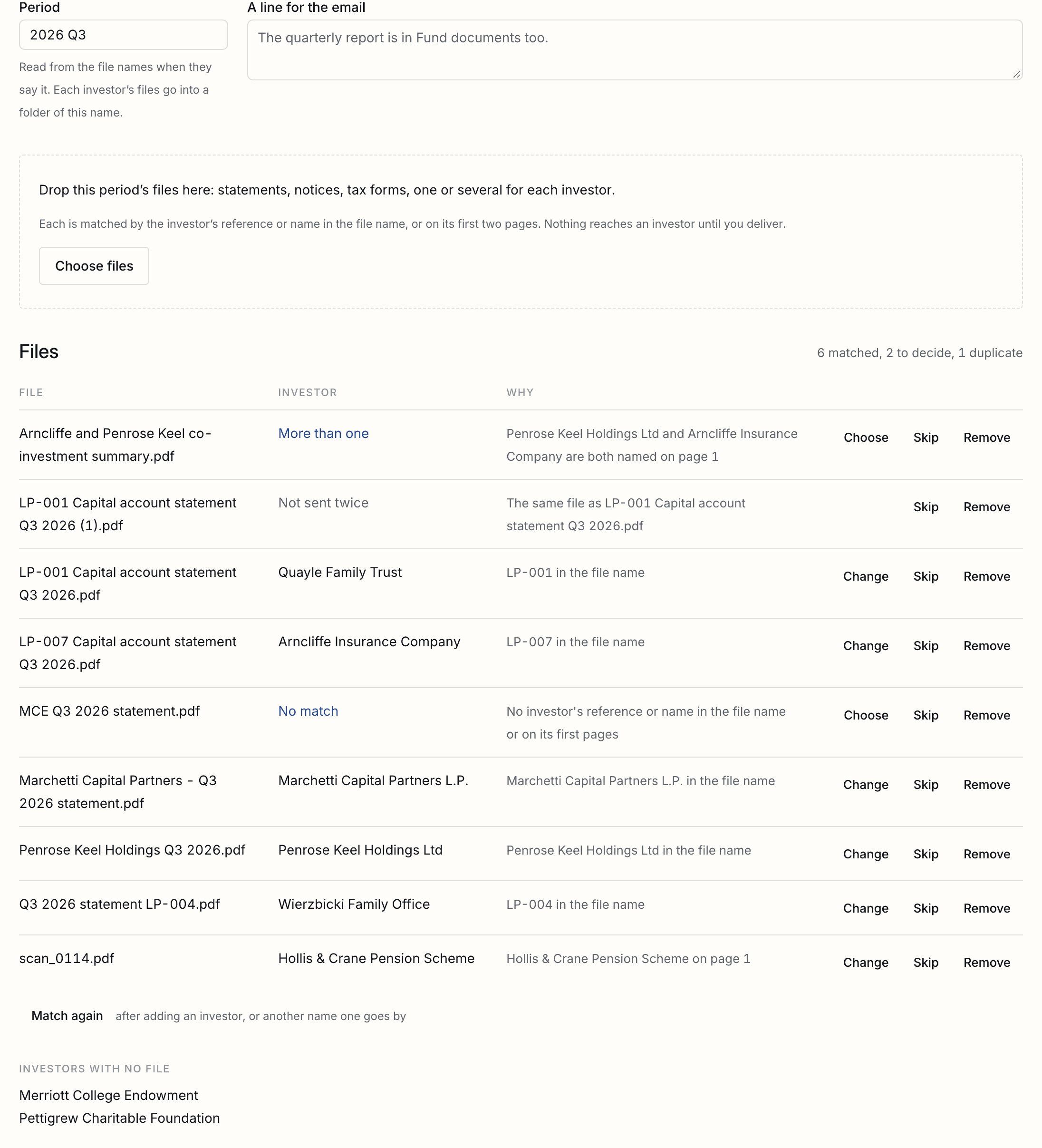
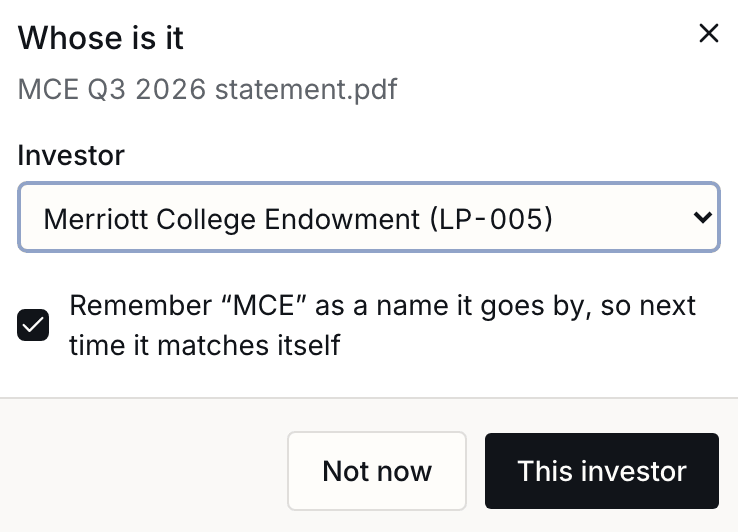
- For each file that says No match or More than one, press Choose and pick the investor. When the file name carries a short name for it, such as EUE, tick Remember and next quarter’s file matches itself. Skip a file that is for nobody.
- Check Investors with no file: a statement that is missing is better noticed now than after the email. Then press Deliver. It says what will happen before it happens.
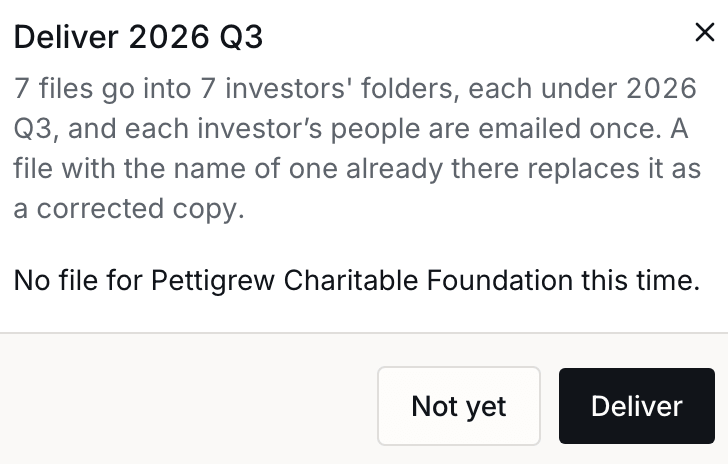
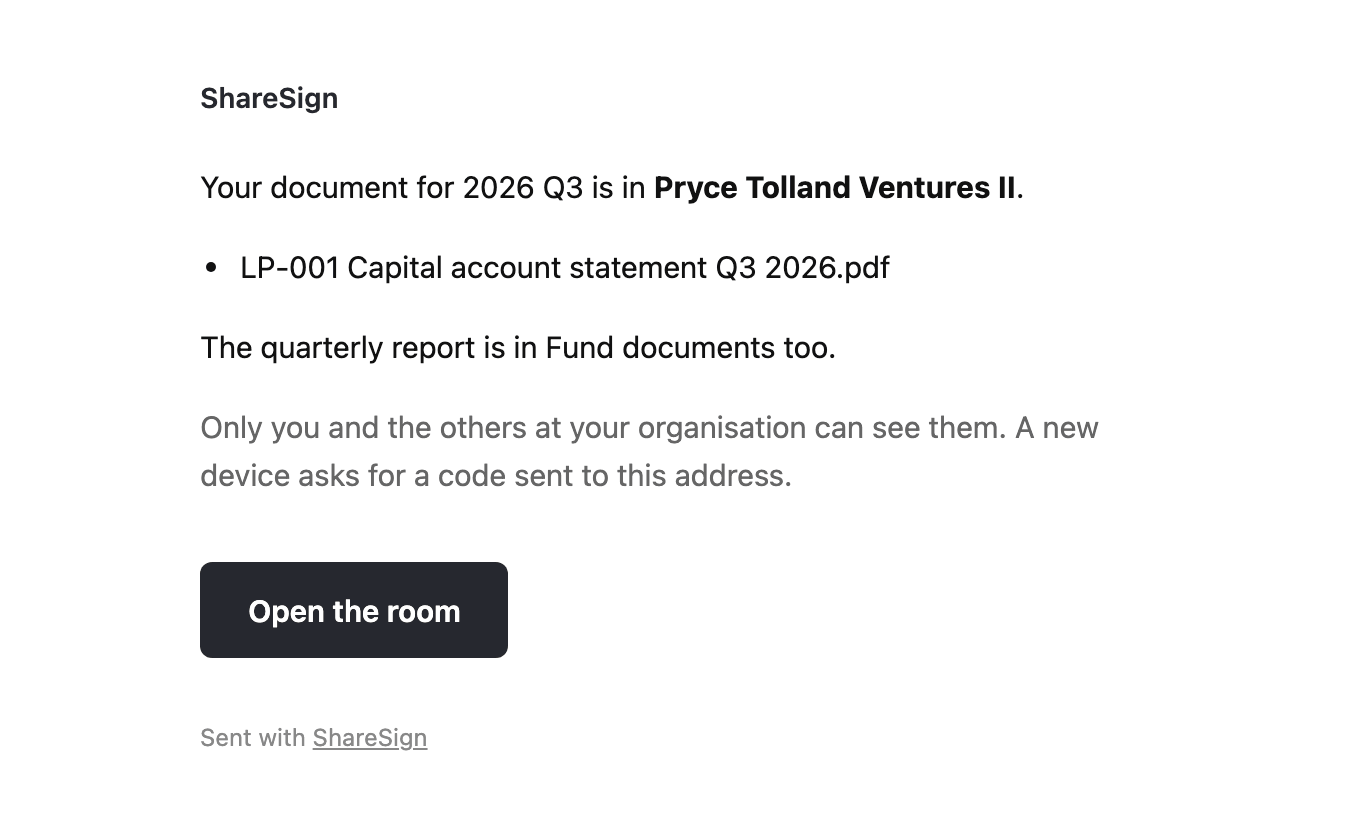
Each file goes into its investor’s folder, under a folder for the period, and each person is emailed once, however many files and however many investors they act for. The email names their files and nobody else’s.
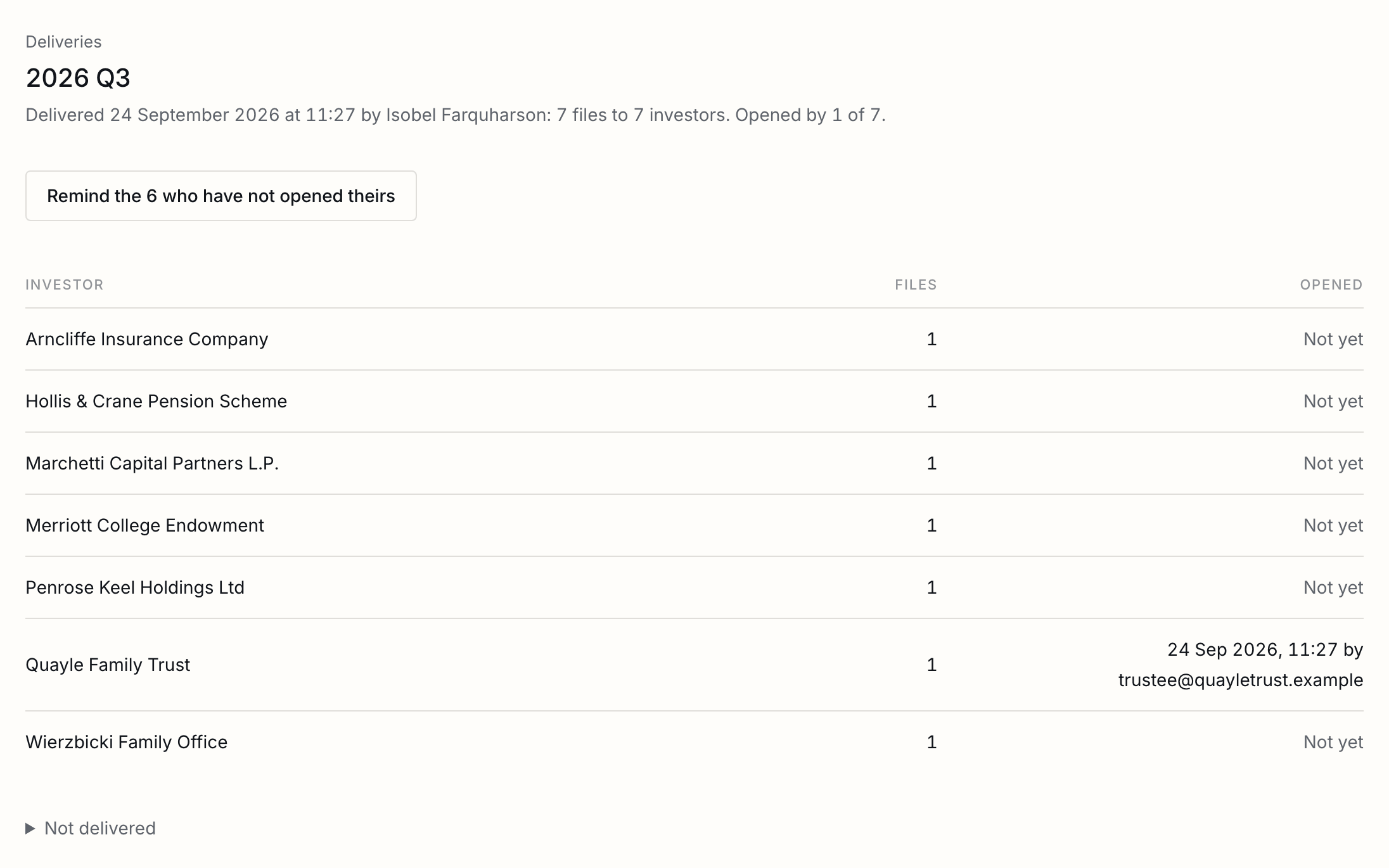
- Come back to the delivery to see who at each investor has opened theirs, and when. Remind the rest sends one email to the people of every investor that has opened nothing, once a day at most.
| A correction | Start a new delivery for the same period and drop in the corrected file under the same name. It replaces the old one as a new version, and the email says it is corrected. The first version stays on the room's record. |
|---|---|
| The same file twice | Is delivered once, under the name without (1) or copy in it. |
| A room not yet open | Delivering opens it and invites everyone first, and says so before it does. |
| Something for everyone | The quarterly report, the annual accounts: put them in Fund documents, in the room, as you would in any room. |
When a file does not match
What each answer in the Why column means, and what to do about it.
A file is matched to one investor or to nobody; one that could be two investors’ is never guessed. The Investor column says which it is:
| No match | Neither the name nor the first two pages carry an investor's reference, name or other name. Choose the investor, and remember the name the file used if it will come again. |
|---|---|
| More than one | Two investors are named, as in a letter about both. Choose, or skip it if it is for neither. |
| Being read | The file is still being read, a scan for longer. It matches itself when it is done; nothing is needed from you. |
| Not sent twice | The same bytes as another file in the delivery. |
| An investor who left | A file for an investor taken out of the fund is held, and says so. |
The surest match is the reference in the file name: ask your administrator to name statements with it, LP-017 Q3 2026.pdf for example. After a new investor is added, or given another name, press Match again.
Side letters and provisions
Sent from the investor's page to whoever signs for it, filed in its folder when signed, and its provisions recorded.
- On the investor’s page, press New side letter and upload it, or choose a template. Whoever signs for the investor is filled in; add your own signer and fields and send it as any document.
- When everyone has signed, the signed copy files itself in the investor’s folder, under Signed.
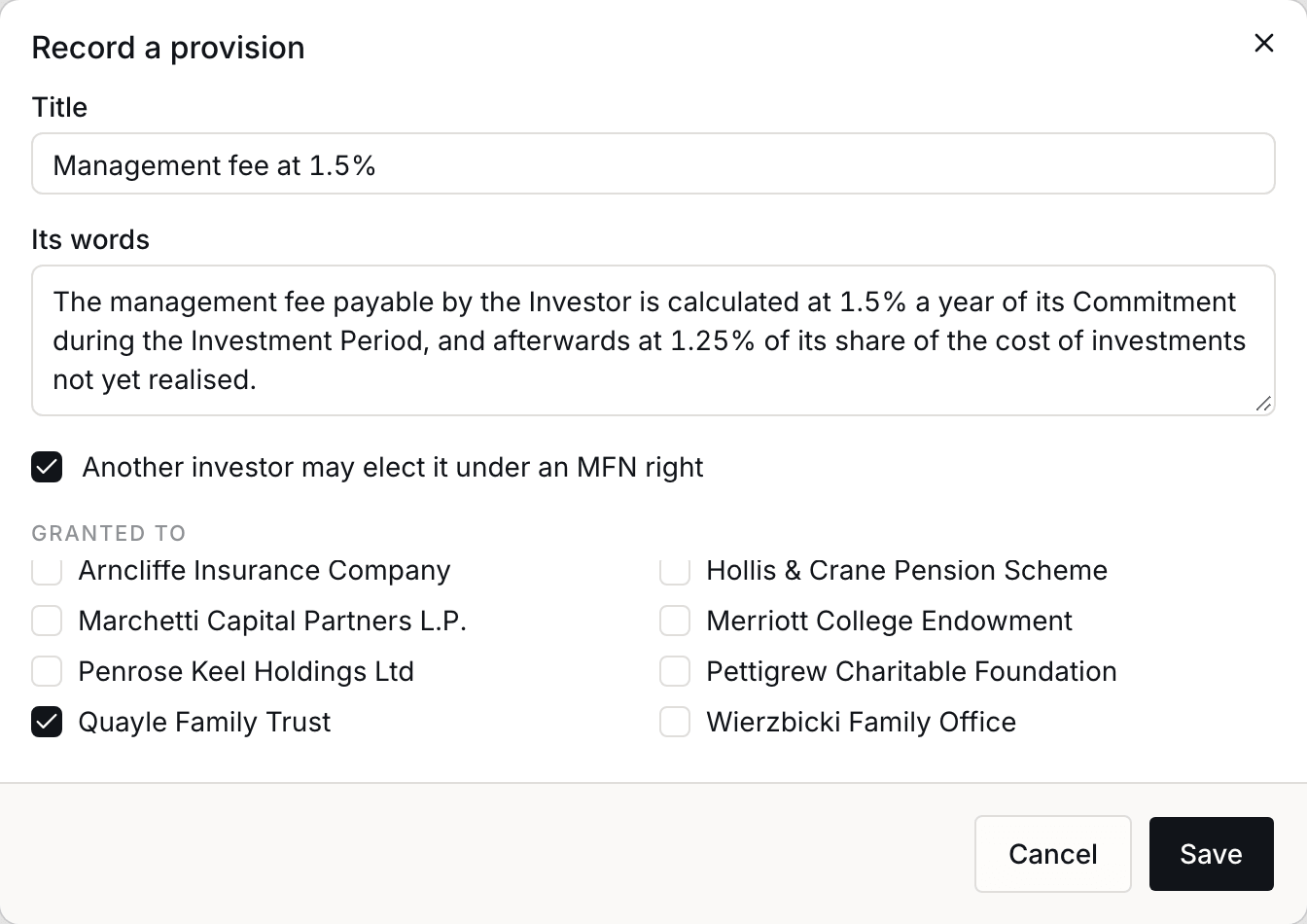
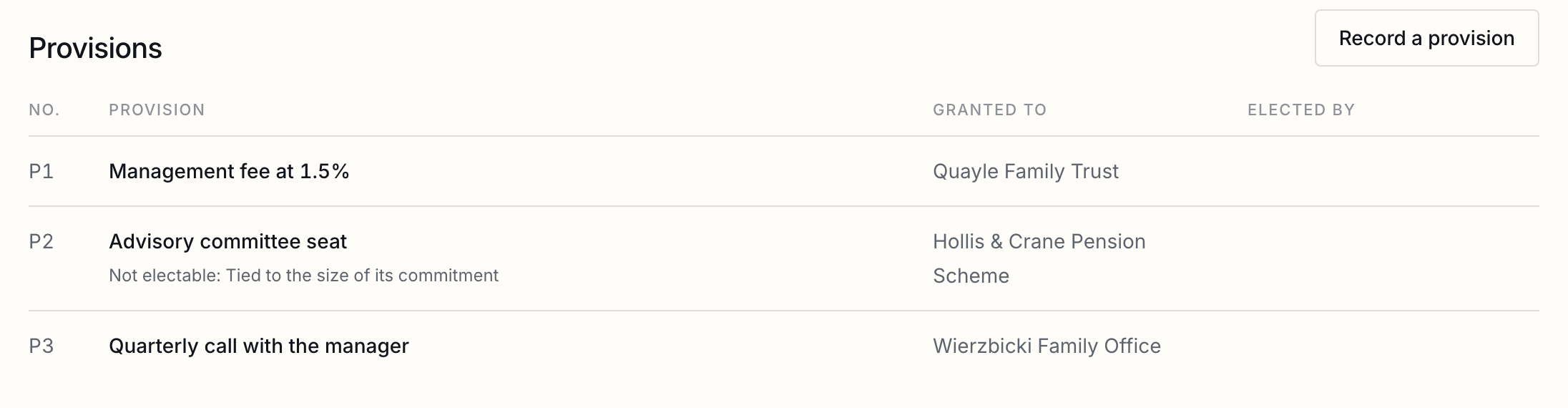
- On Side letters and MFN, press Record a provision for each thing it grants: a short title, its words as an election form should print them, and every investor it was granted to. Untick Another investor may elect it for a provision nobody else can have, such as one tied to an investor’s tax status, and say why.
MFN elections
What each investor may elect, sent as a form it ticks and signs, and read back into the register.
An investor with a most favoured nation right may elect a provision granted to another investor whose commitment is no larger than its own, unless the provision is marked as not electable, and never one it already has. The table works this out for every such investor.
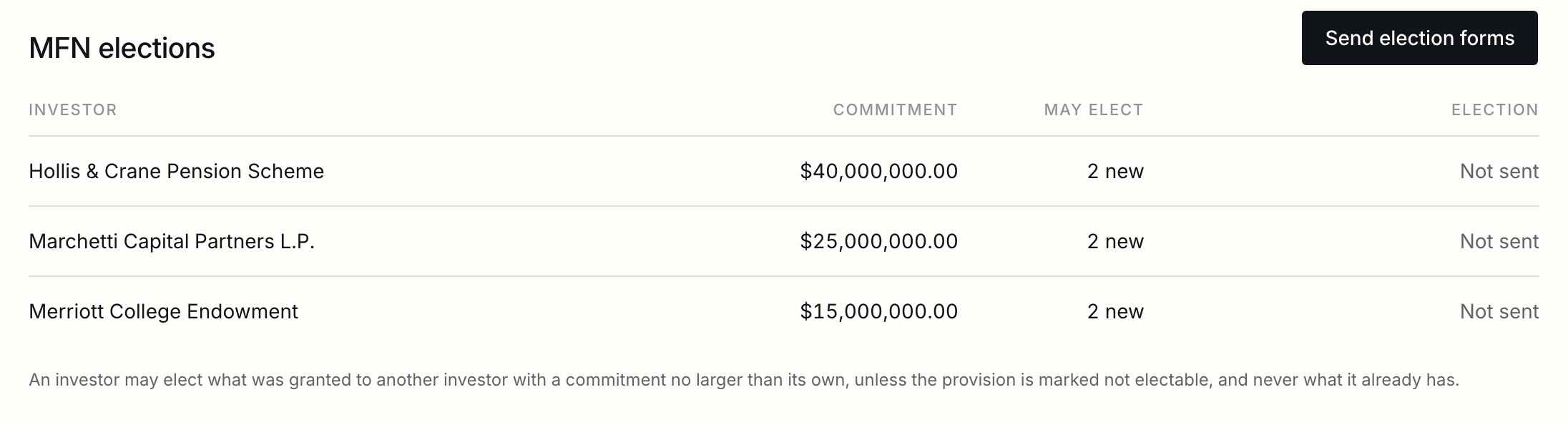
- Press Send election forms, choose who to send to, and how many days they have to answer.
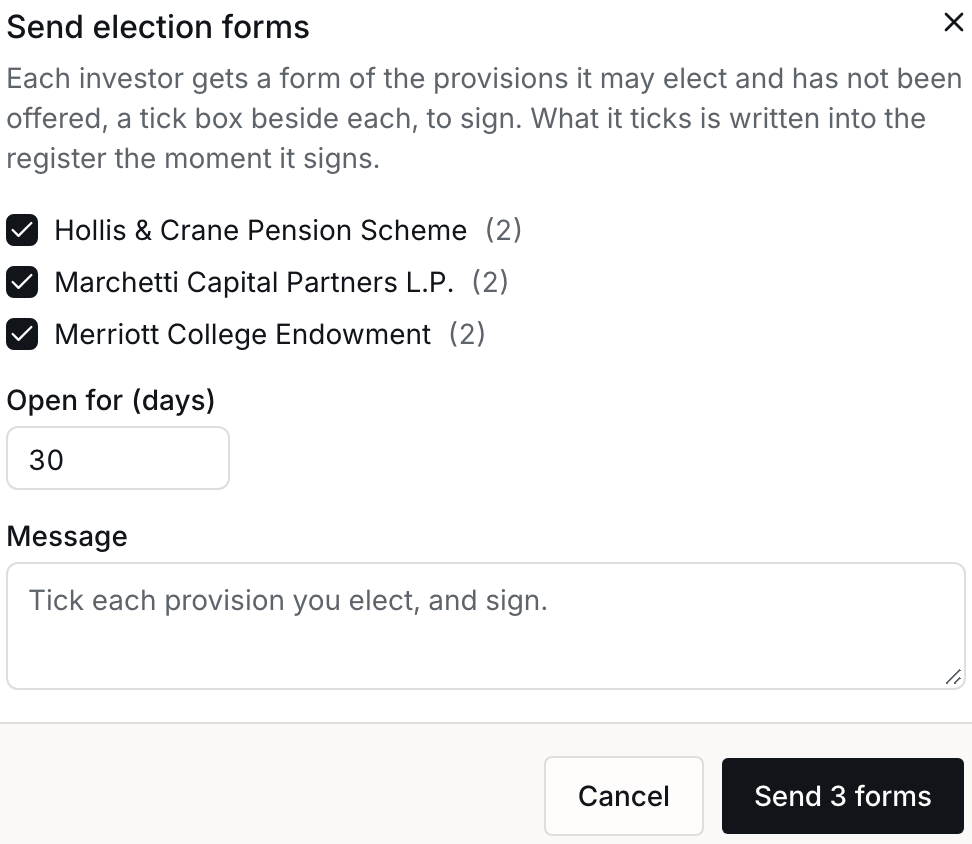
- Each investor’s signatory gets a form of its own, to sign like any document: the provisions it may elect, each in full with a tick box beside it.
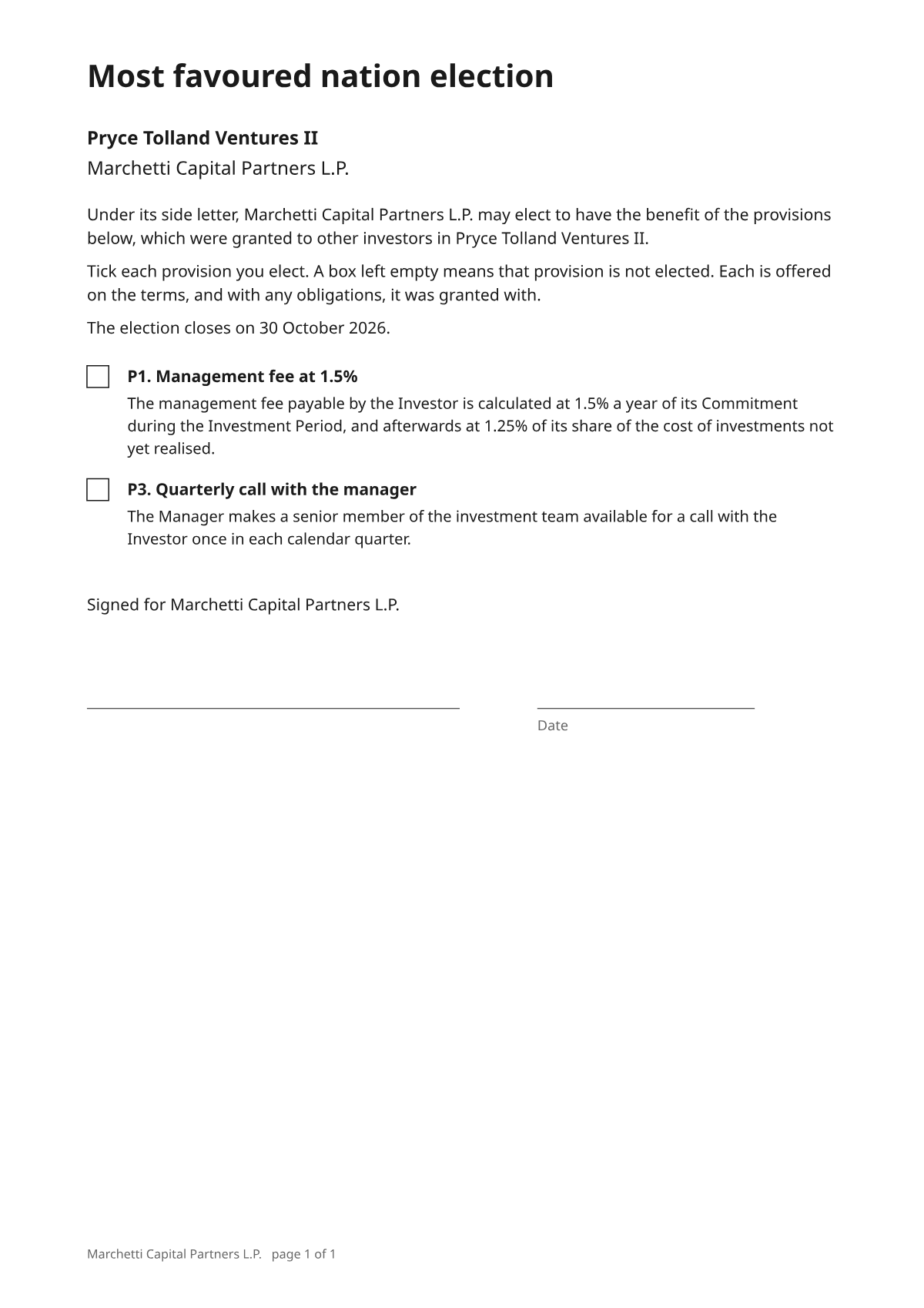
The form also waits for them in the room, under Waiting for your signature, with any side letter or round’s document of theirs.

- The moment it signs, what it ticked is written into the register, beside each provision, and the form files itself in its folder. A form signed with nothing ticked is an answer; a form that expires is recorded as no election. A provision recorded later is offered in the next forms you send.
Capital calls and other rounds
One template, each investor's amount filled in, worked out to the cent before anything is sent.
A round is one template sent to every investor, each document with its own amount: subscription documents, a capital call or a distribution notice. First make the template once, in Templates, with a signer for the investor. Label its fields and they are filled in for each investor:
| Amount | The investor's amount, written as money: $400,480.58. Amount due and Call amount work too. |
|---|---|
| Investor | The investor's name. |
| Due date | The date you choose, written out: 30 October 2026. |
| Commitment, Share, Reference | Its commitment, its share of the round, and its reference. |
- Open Rounds. Choose the kind, name it, and choose the template.
- Choose where the amounts come from: a total shared pro rata by commitment, each investor’s commitment, or a column of a spreadsheet, matched to investors by reference, email or name.
- Press Work out the amounts, and read every line.
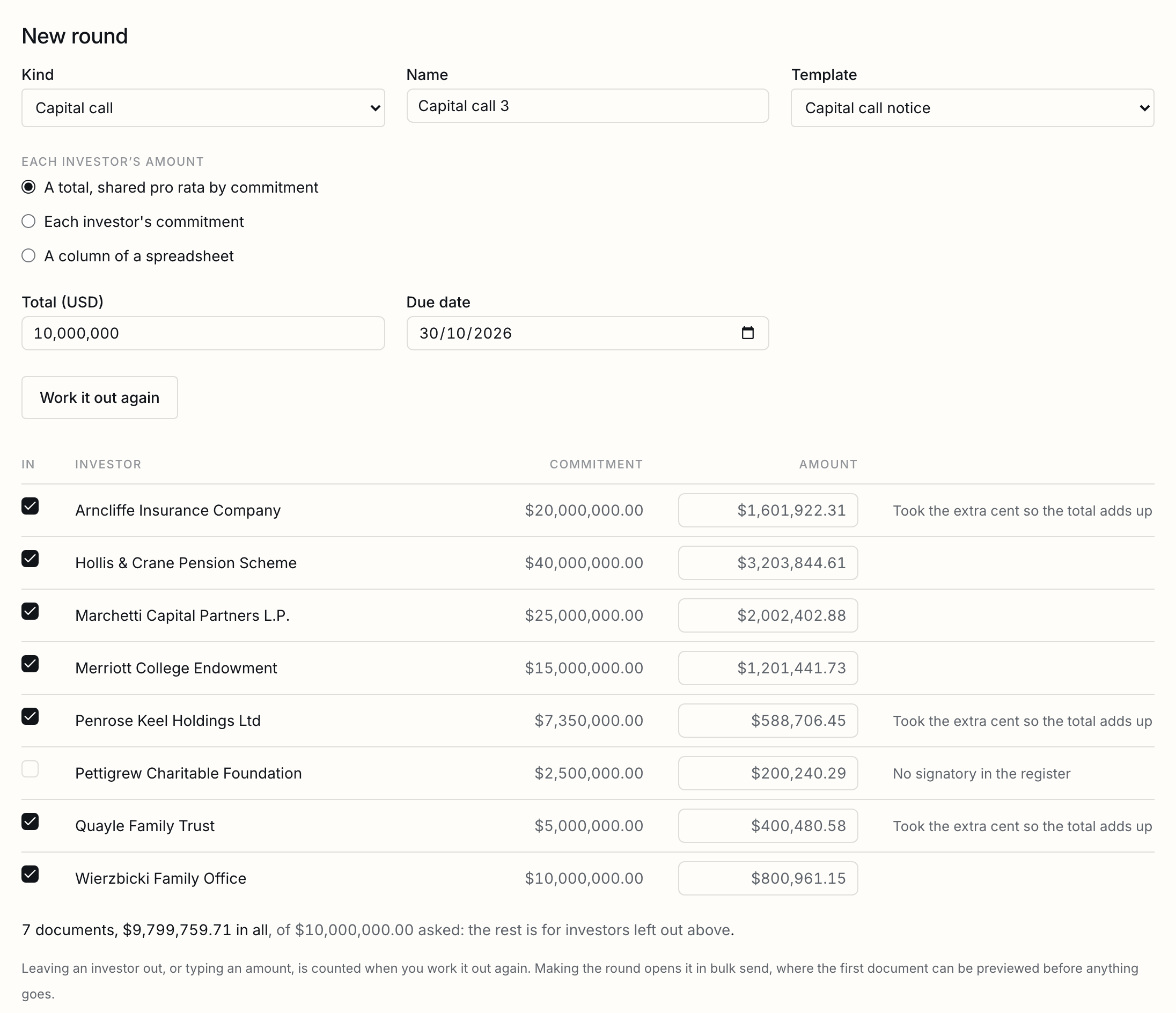
- Untick an investor excused from this call, or type an amount over one, and press Work it out again.
- Press Make the round. It opens in bulk send, where you preview the first document and send them all, or put them up for approval.
Each signed copy files itself in its investor’s folder under Signed. Once a capital call is sent, the register counts what each investor was called.
Portfolio reports
Each portfolio company asked in the room for its report, by a date, where no investor sees it.
- On Portfolio, add each company, and press Let people in to invite whoever sends its reports. A company sees only what it is asked for.
- Press Ask for reports, with the period and the date you want them by. Every company is asked at once, and its people are emailed once.
- What a company sends waits for you. Press File it, and it goes into Portfolio reports, under the period and the company, where no investor can see it.
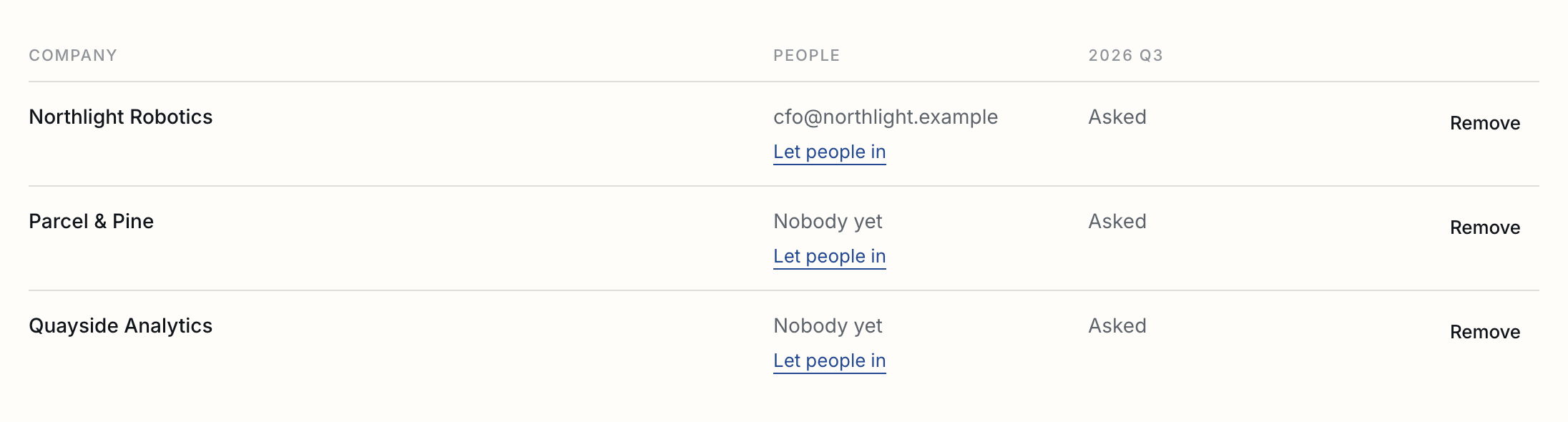
A report past its date is in the room’s daily email to you.
Good to know
What the register is and is not, what a removed investor keeps, and what goes with a deleted fund.
| The register | Is not a set of accounts. Called is what capital calls sent through ShareSign asked for; your administrator's figures are the ones that count. Download it for them as a workbook, from the register. |
|---|---|
| Deleting a fund | Deletes the register. The room stays a room, with every file and its record, and every signed document stays in Documents. |
| Approvals | In a workspace that approves documents before they go, election forms and side letters go up for approval like any other. |
| A test document | Signs for real and counts for nothing: it is not filed in an investor's folder, and its ticks are not recorded. |
Tell us what you were trying to do and we will fix the page. Write from the support page.
Last changed 24 September 2026.