Deals
The sale of a business, run from a register of buyers in one room. Deals come with the Business plan, with its data rooms and closings. Every picture on this page is of an example sale, of Tresillian Boatworks Ltd under the code name Project Saltings, whose names and amounts are made up.
What a deal is
A register of buyers and the room they read, made together, under a code name until each NDA.
Deals come with the Business plan. If Deals is not in your navigation, an owner or an admin can switch it on in Settings, Features. What your workspace shows
A deal is a register of buyers and the room they read, made together. Each buyer is a firm with its people, and each has a place in the room of its own, so no buyer ever sees another, or learns how many others there are. Until a buyer signs its NDA it knows the business only by the code name you choose, and reads only the teaser.
The room starts from the Sale of a Business index, whose due diligence folders open last, followed by Information memorandum and Process, which a buyer reads first; Buyers, with a folder for each buyer; and Clean team, for competitors’ clean teams only. Its stages are named for a sale: Information memorandum, Second round, and Due diligence.
| Who runs it | Members who manage rooms. Asking a departing buyer for its certificate of destruction needs sending rights as well. |
|---|---|
| Its room | A data room like any other, so everything in the Data Rooms guide works in it. Sending the first buyer in opens it, which counts as one of your open rooms. |
| Its currency and time zone | One of each per deal. Offers are made in the currency, and deadlines set in the time zone. The currency is fixed once an offer is made. |
A sale, start to finish
The whole of it in nine steps, each explained below.
- Make the deal, choose its code name, and put the teaser and the information memorandum in its room. Setting up a deal
- Add the buyers you will approach, each with its people. Nothing is sent yet. Adding buyers
- Choose buyers, and send them the teaser and the NDA. Sending the teaser and NDA
- Watch the register: who signed, who read what, who asked. The register
- Ask for indicative offers by a deadline. They open together at the deadline. Offers, sealed until the deadline
- Move the buyers you keep to the second round, and take the others out with a letter. Taking a buyer out
- Ask for final offers, and give the buyer you choose exclusivity. Exclusivity
- Move it to due diligence, and start the closing with it. Starting the closing
- Throughout, your client follows it all on a page of their own. The seller’s link
Setting up a deal
The names, the teaser, the NDA, and whether buyers may download.
- Open Deals, and press New deal. Give it your name for it, the code name buyers see first, the business’s own name, the currency offers are made in, and the time zone deadlines are set in.
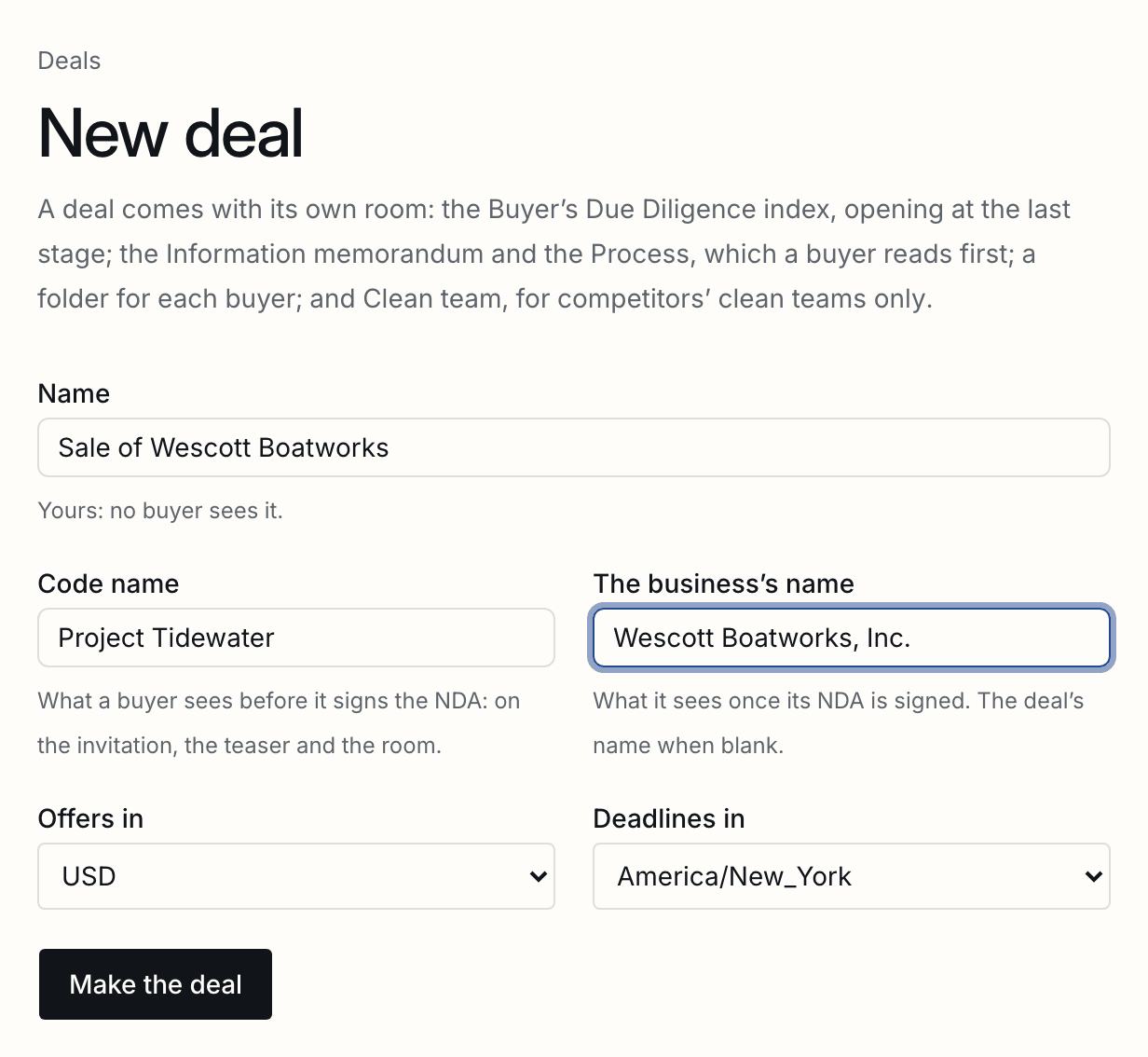
- Open the deal’s room from the line under its name, and put the teaser in Process and the information memorandum in Information memorandum. Publish them.
- In the deal’s Settings, choose the teaser and the NDA, whether one signature covers each buyer or every person signs their own, and whether buyers may download once past the NDA.
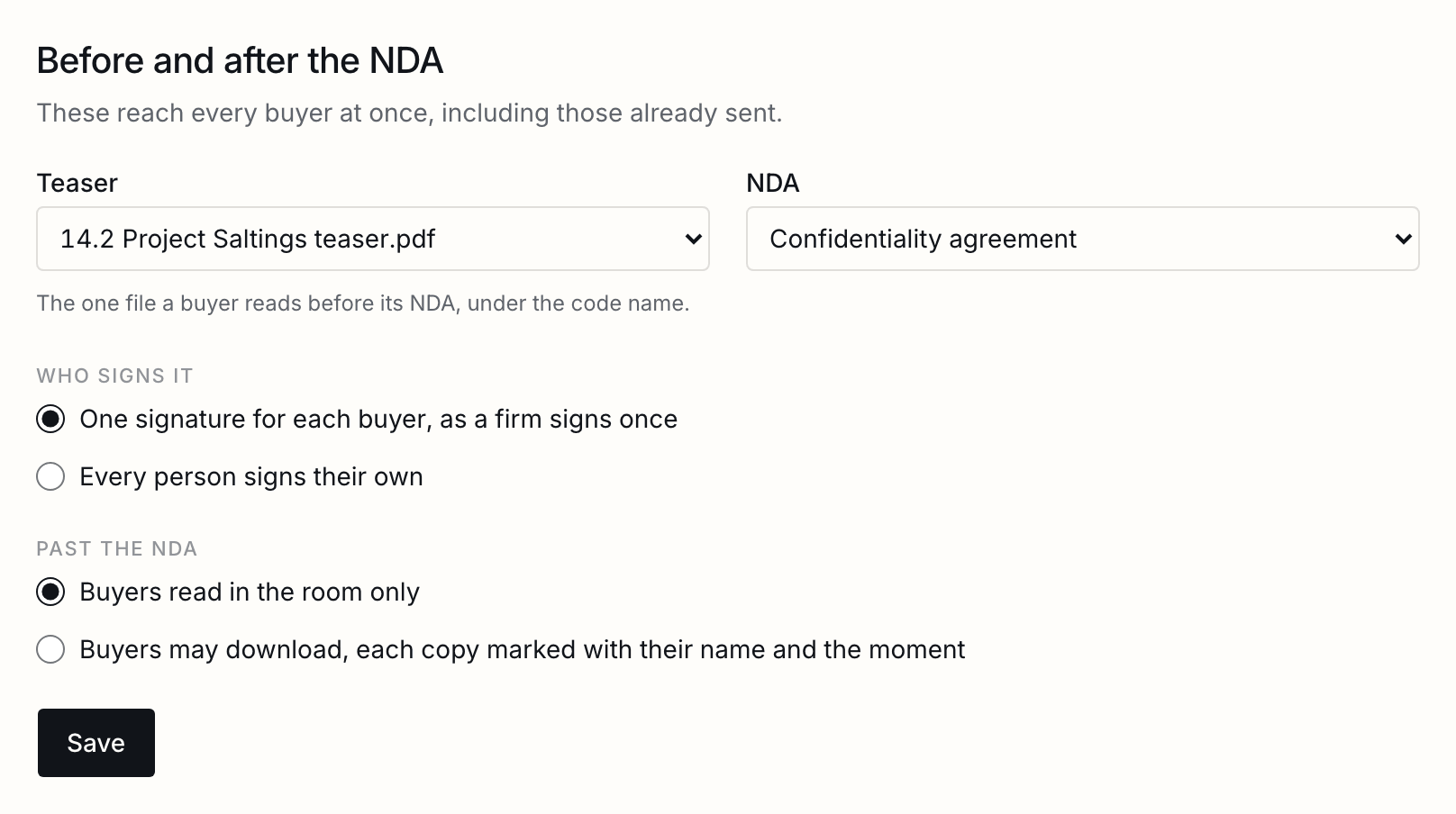
The NDA is one of your own templates, signed on ShareSign’s signing page with a certificate. It needs one role left open for the buyer. These settings reach every buyer at once, including those already sent in.
The register
Every buyer on one line: its stage, its NDA, what it read in words, and its offer, sortable and exportable.
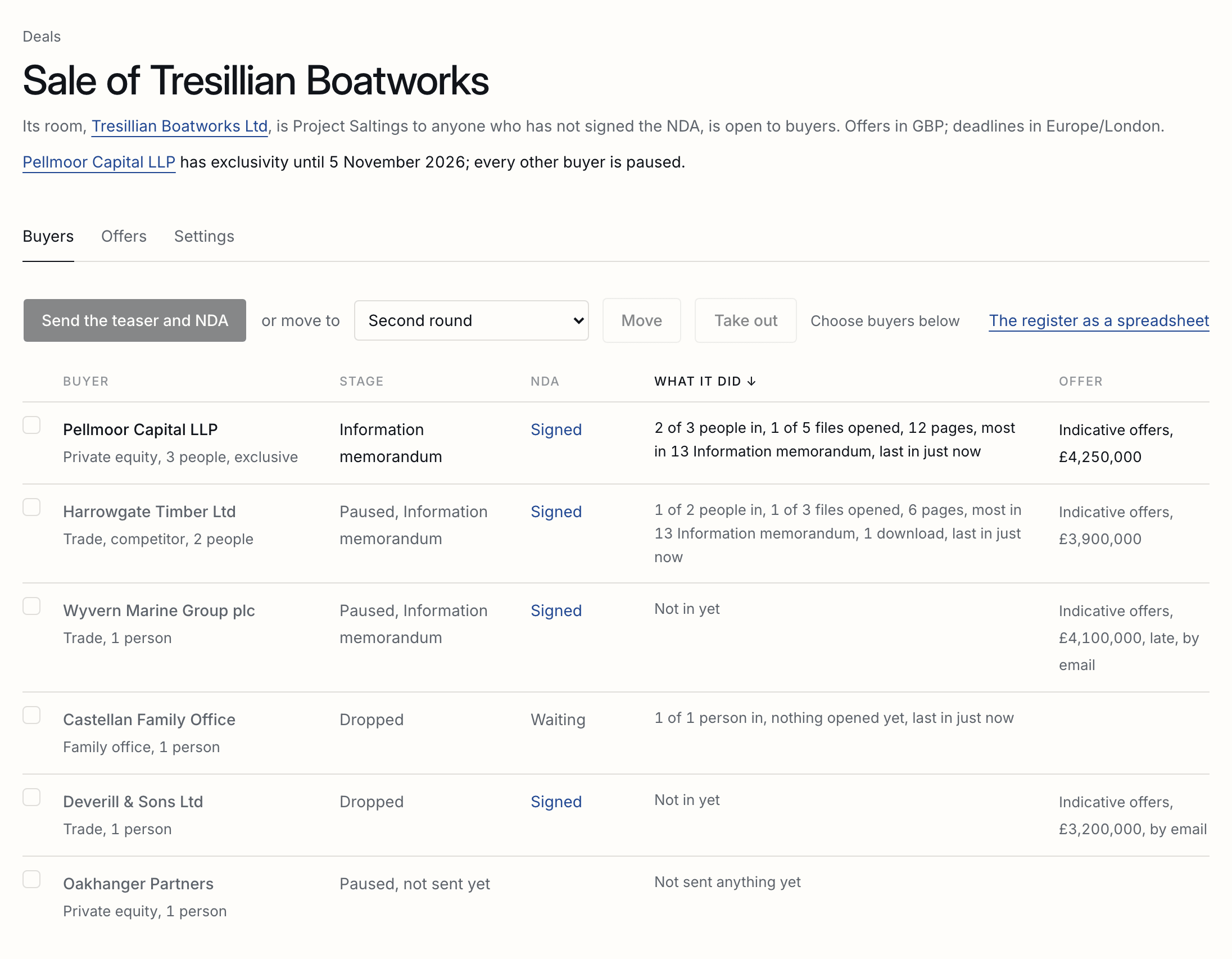
The register is the deal’s first page: every buyer on one line, with its stage, its NDA, what it has done in the room in words, and whether it has offered. The ones in the process come first, ranked by what they have done; the ones out of it are grey. Press a column’s name to sort by it.
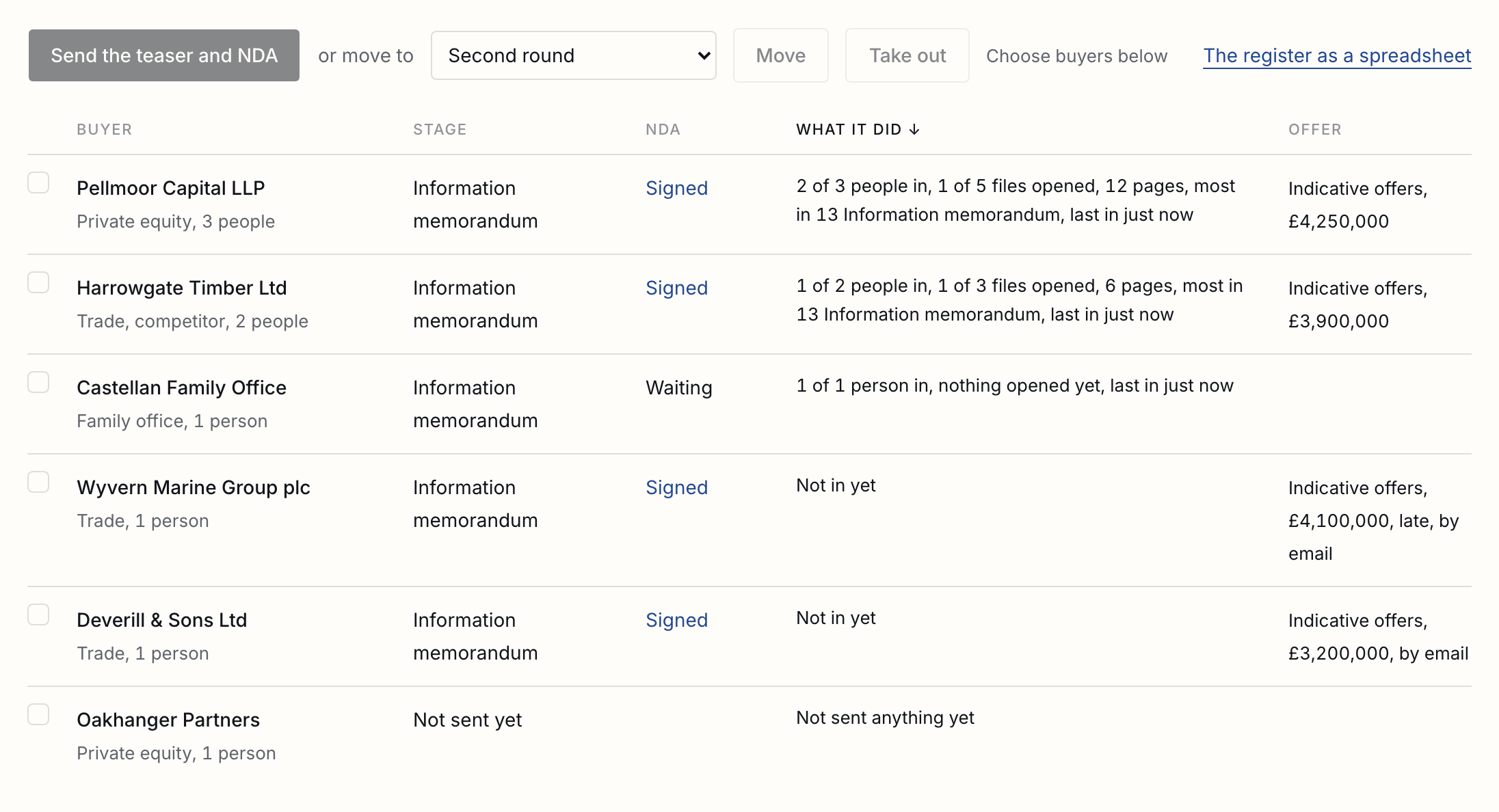
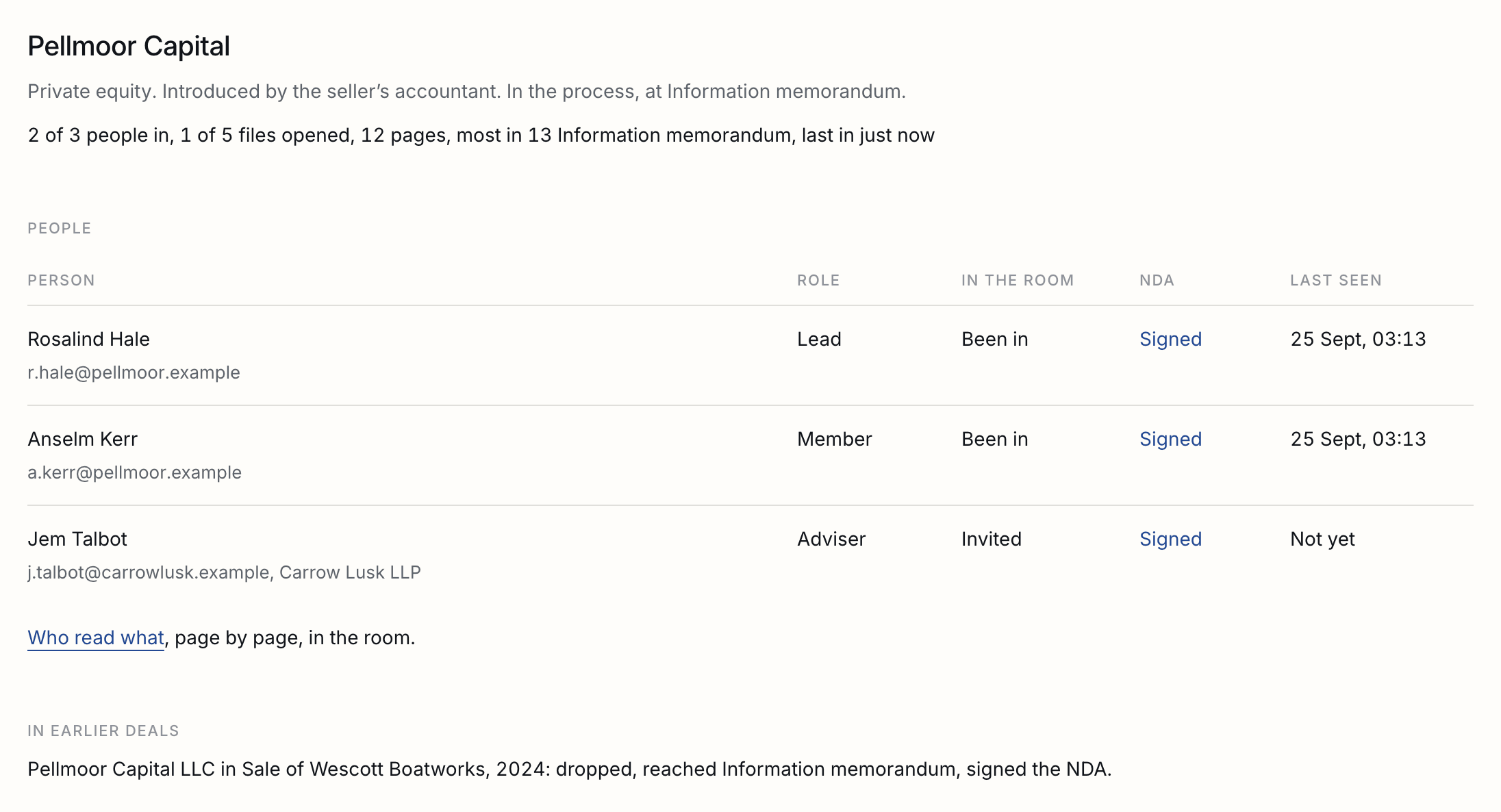
The register downloads as a spreadsheet, one row per person, for your records or your client. Each buyer has a page of its own: its people and where each stands, what it did in earlier deals, and what to do next with it.
Adding buyers
A firm, its kind, where it came from, and its people; recognised when it was in an earlier deal.
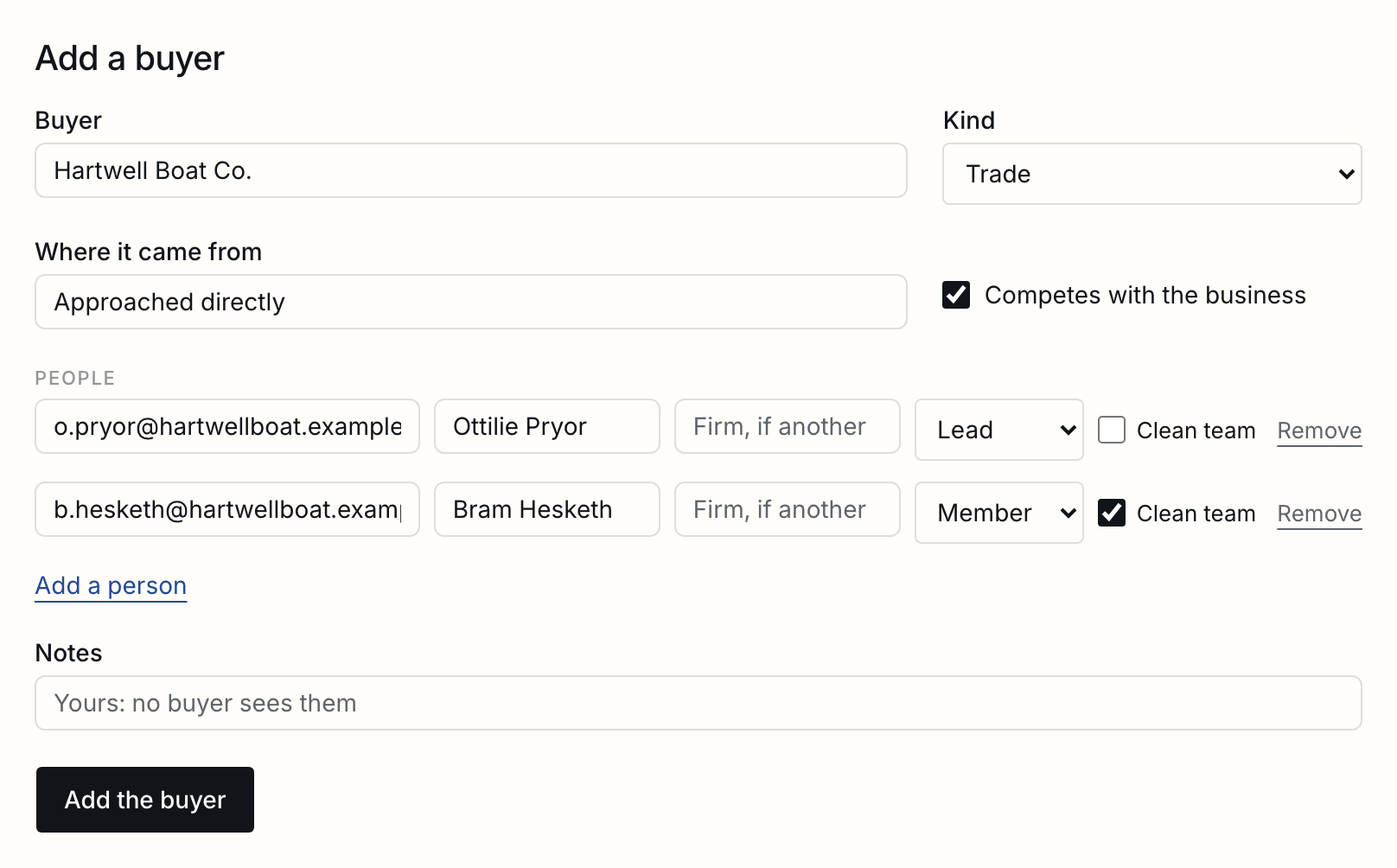
A buyer is a firm: its name, what kind of buyer it is, where it came from, whether it competes with the business, and its people, one of them the lead. Its lawyers and accountants are its people too, marked as advisers, and a person from another firm, as in a consortium, carries their firm’s name.
| The same firm twice | Pellmoor Capital and Pellmoor Capital LLP are named as one firm when the second is added, and it is not added. |
|---|---|
| One person at two buyers | An adviser acting for two bidders is refused unless you say why they may act for both; the reason is kept. |
| Seen before | A buyer, or any of its people, that was in an earlier deal is recognised when added: how far it went, whether it signed, what it read, and whether it offered. |
| A second process | An empty register offers to start from an earlier deal's buyers, copied with their people and notes. Nothing is sent. |
Competitors and clean teams
A buyer that competes with the business sees what every buyer sees; its clean team sees one folder more.
A buyer marked as competing with the business sees what every buyer sees. Tick Clean team beside the people who may see commercially sensitive files, and they alone see the Clean team folder as well, once the buyer reaches due diligence. The rest of the buyer never sees it, and no other buyer does.
Sending the teaser and NDA
Chosen buyers are invited at once; each sees the teaser under the code name, and the rest once its NDA is signed.
- Tick the buyers to send to on the register, and press Send the teaser and NDA. Every domain the room has not had before is named first, because a mistyped address is how the wrong person gets in.
- Each person gets a link of their own. Before the NDA, the room is the code name and the teaser, and nothing else.
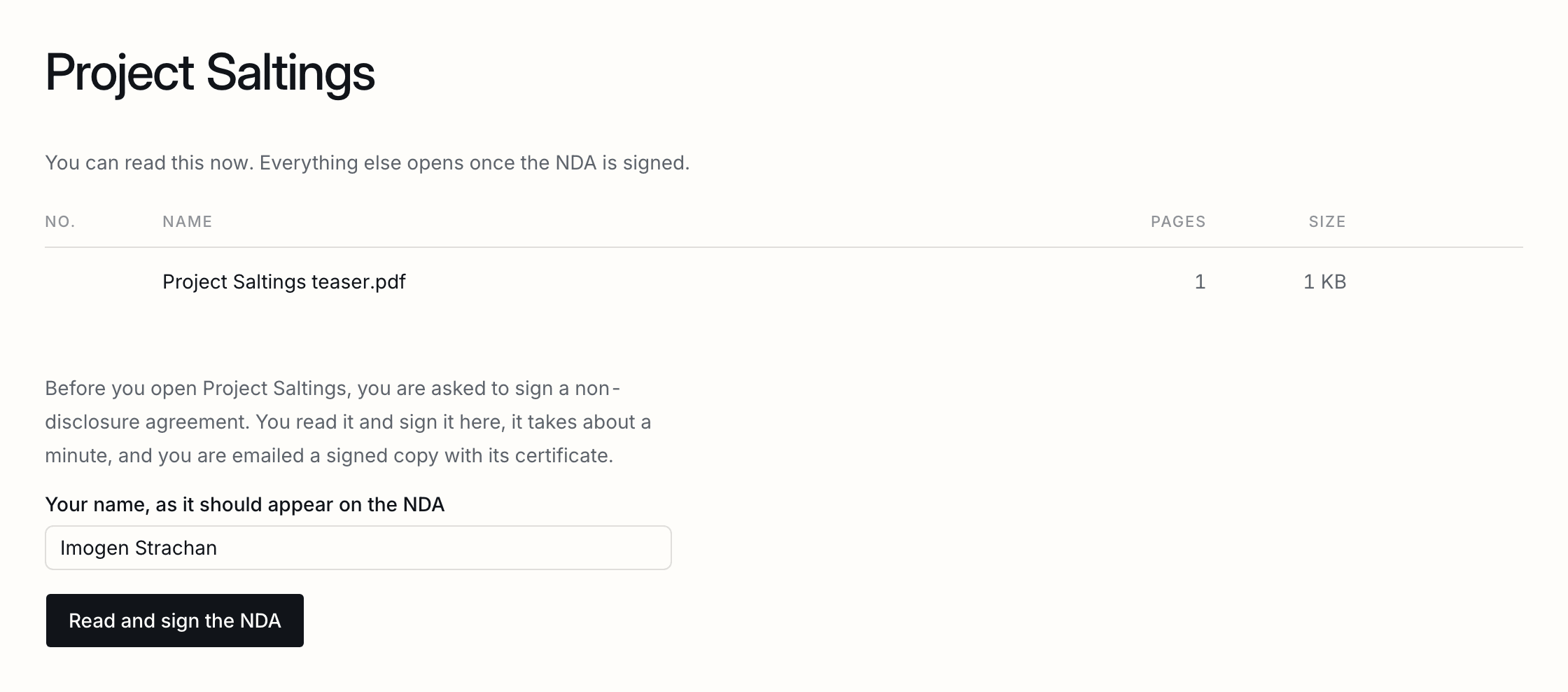
- Once the NDA is signed, the room takes the business’s own name, and the buyer reads what its stage opens: the information memorandum and the process folder, and its own folder.
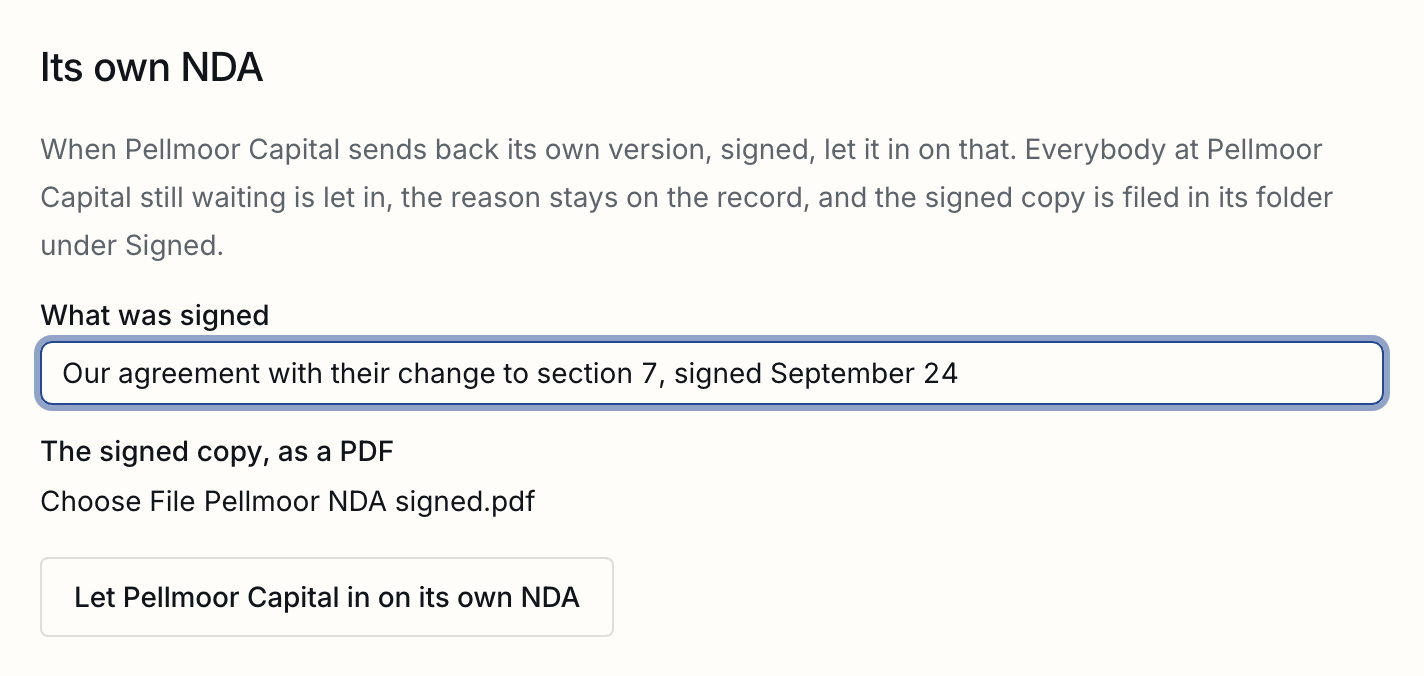
A buyer that sends back its own marked-up NDA, signed, is let in from its page: say what was signed and attach the copy. Everybody at the buyer still waiting is let in, the reason is kept on each of them, and the copy is filed in its folder under Signed.
Moving buyers through the stages
Information memorandum, second round, due diligence: moving a buyer opens what its stage opens.
Tick buyers, choose a stage, and press Move. Each buyer reads what that stage opens at once, and its people are emailed what opened. A competitor’s clean team moves with it. Moving a buyer back closes what the later stage opened, and sends nothing.
Offers, sealed until the deadline
One round at a time, told to each buyer once, and opened together at the deadline, side by side.
- On Offers, name the round, set the deadline in the deal’s time zone, choose the process letter from the room, and say which buyers may offer: every buyer in the process, or those at a later stage.
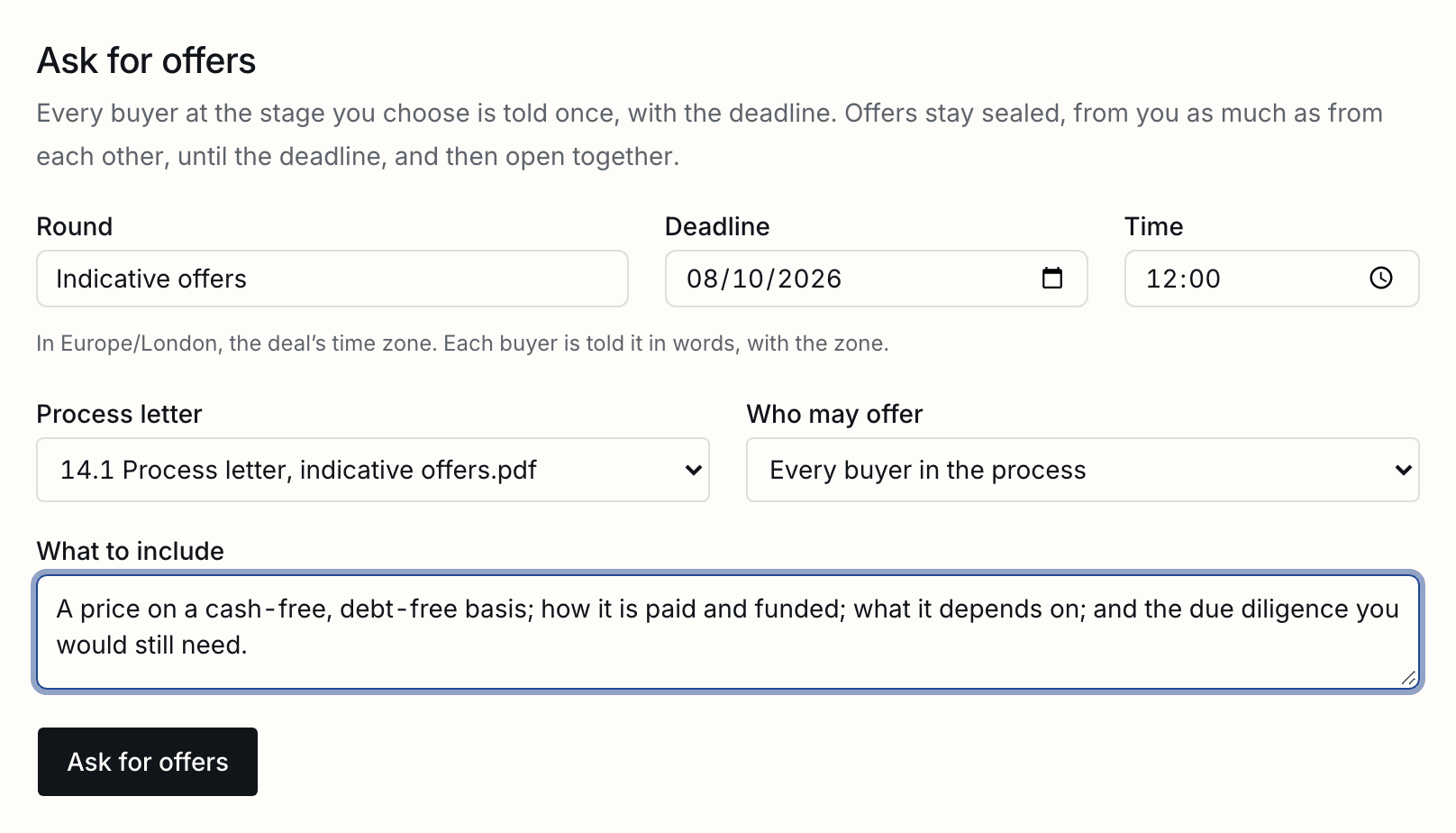
- Every buyer who may offer is told once, with the deadline in words and its zone. In the room, each sees the deadline in the deal’s time and in their own, the process letter, and a form for its offer: the price, how it is paid, the conditions, the exclusivity it asks for, and its letter as a PDF.
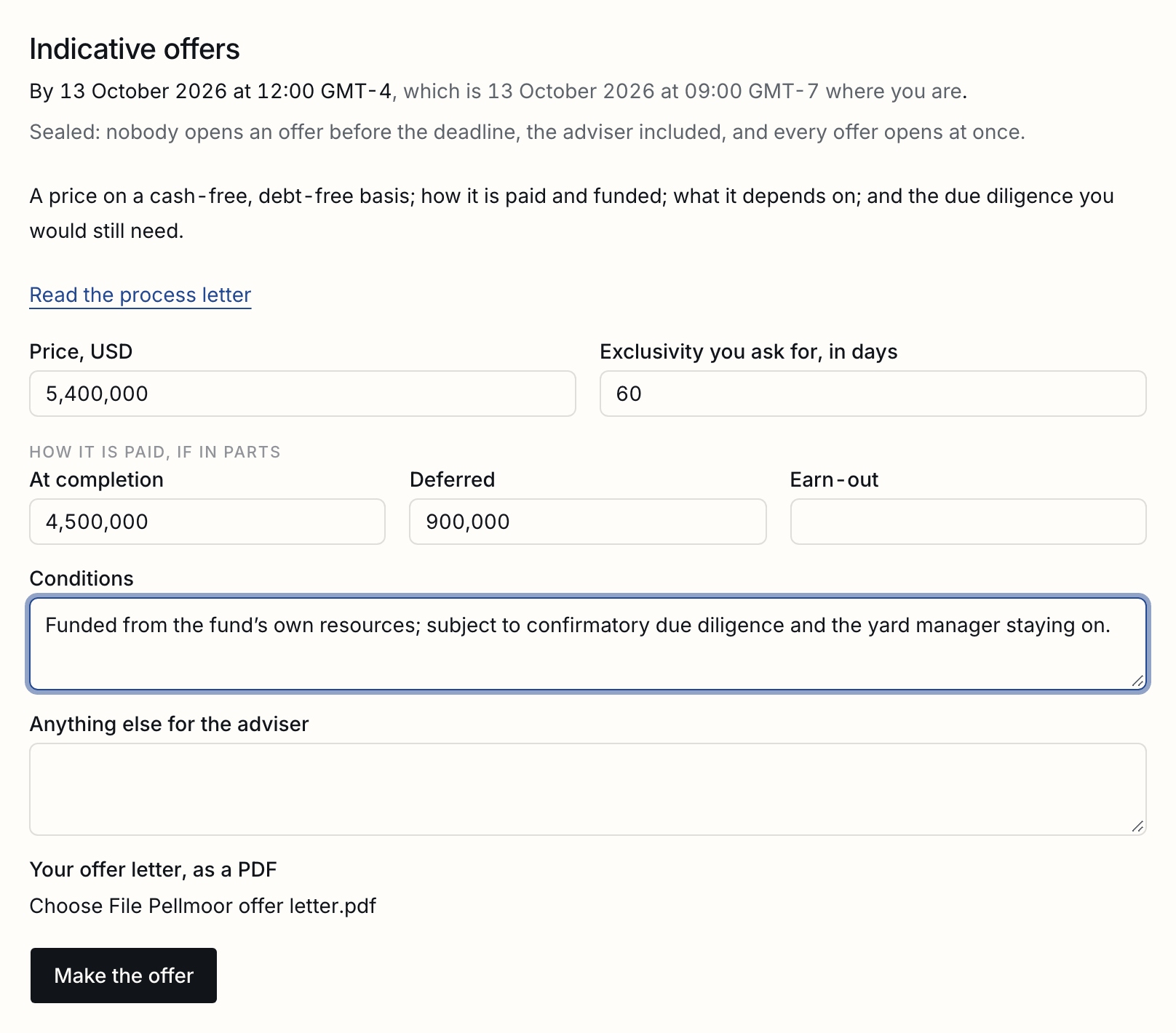
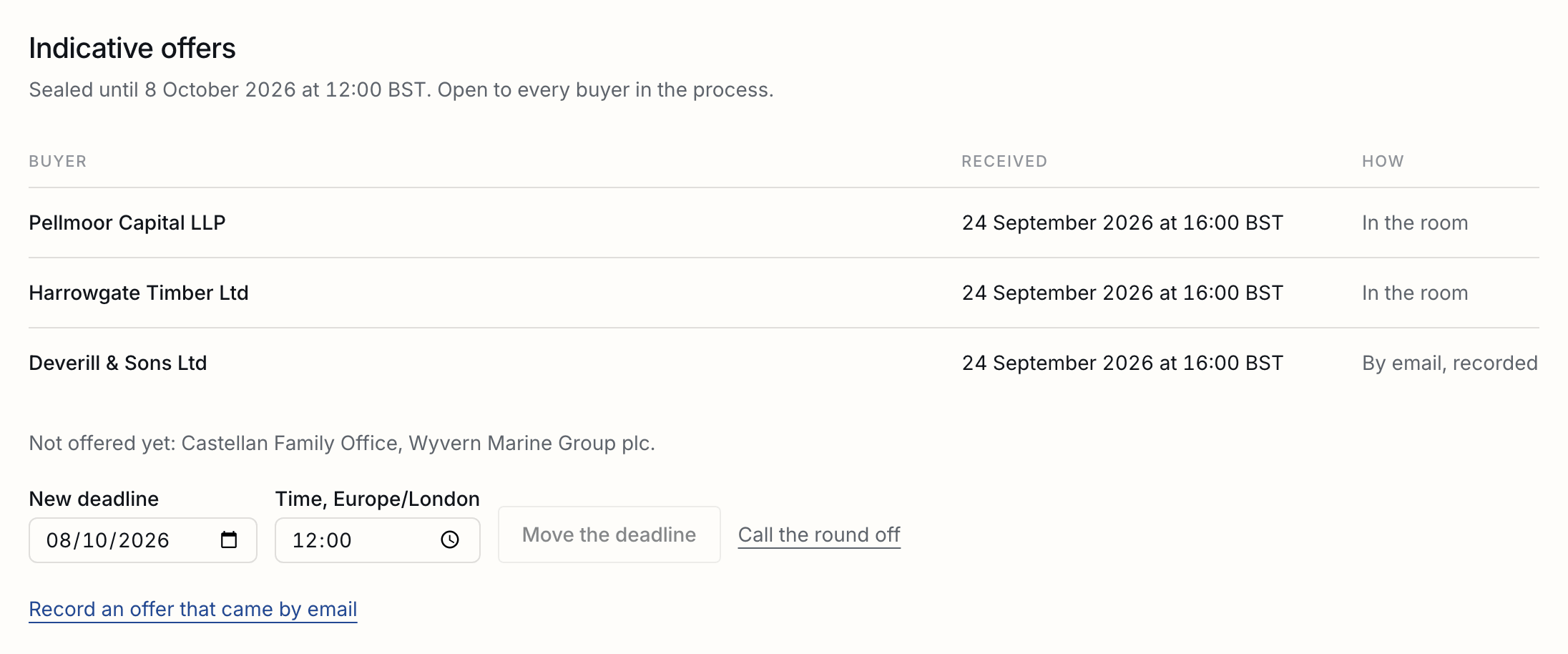
- Until the deadline, you see who has offered and when, and who has not yet. Nobody sees what an offer says before the deadline, you included. A buyer can change its offer or take it back until then; the latest counts, and the earlier ones stay on the record.
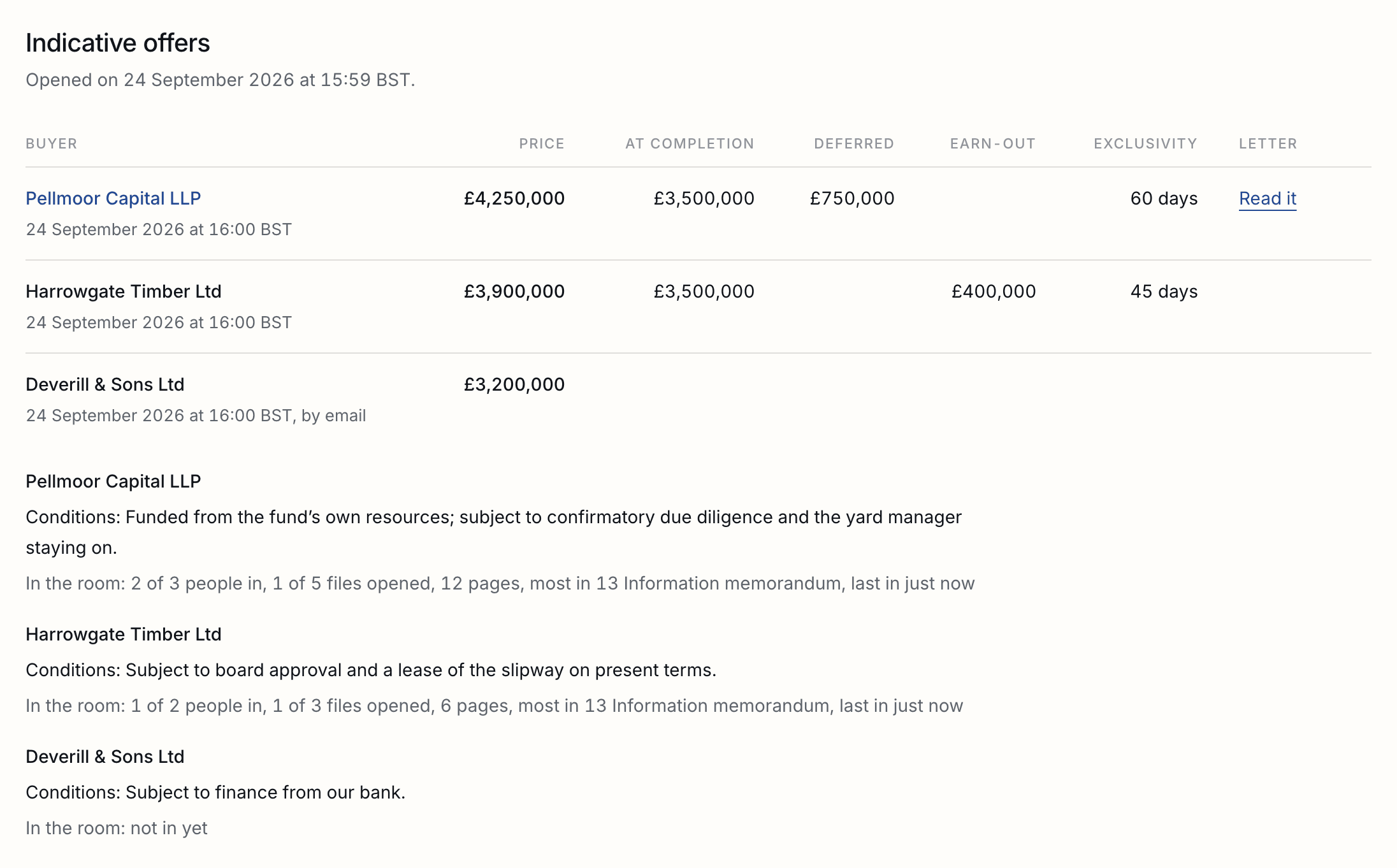
- At the deadline every offer opens at once, highest first, side by side. Each buyer’s letter files itself in its folder, under Offers, and you are emailed.
A moved deadline is told to every buyer in the round once, and the offers already in stay sealed until the new one. A round called off is never opened. Offers are asked for one round at a time.
Late offers and offers by email
Received, marked, and admitted or refused with the reason on the record.
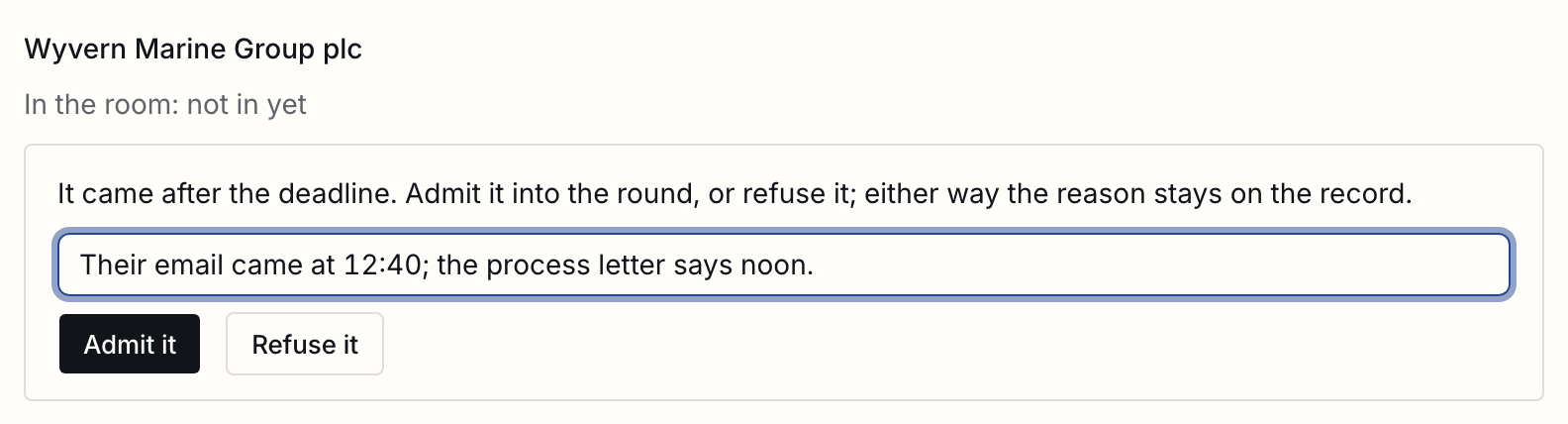
An offer that came by email or by post is recorded from the round with Record an offer that came by email, and is sealed with the others. One made after the deadline is still taken, marked late, and kept apart: admit it into the round or refuse it, and say why. Either way, the reason stays on the record.
Taking a buyer out
Shut out at once with a letter in your words; its folder, reading and offers kept.
Tick the buyers on the register and press Take out, or do it from a buyer’s page. Say whether it declined, you dropped it, or it lost to another buyer, and write the letter it gets. Each person is sent it, addressed to them by name, under the name they know the business by. Its people are shut out at once; its folder, what it read, and what it offered stay on the record.
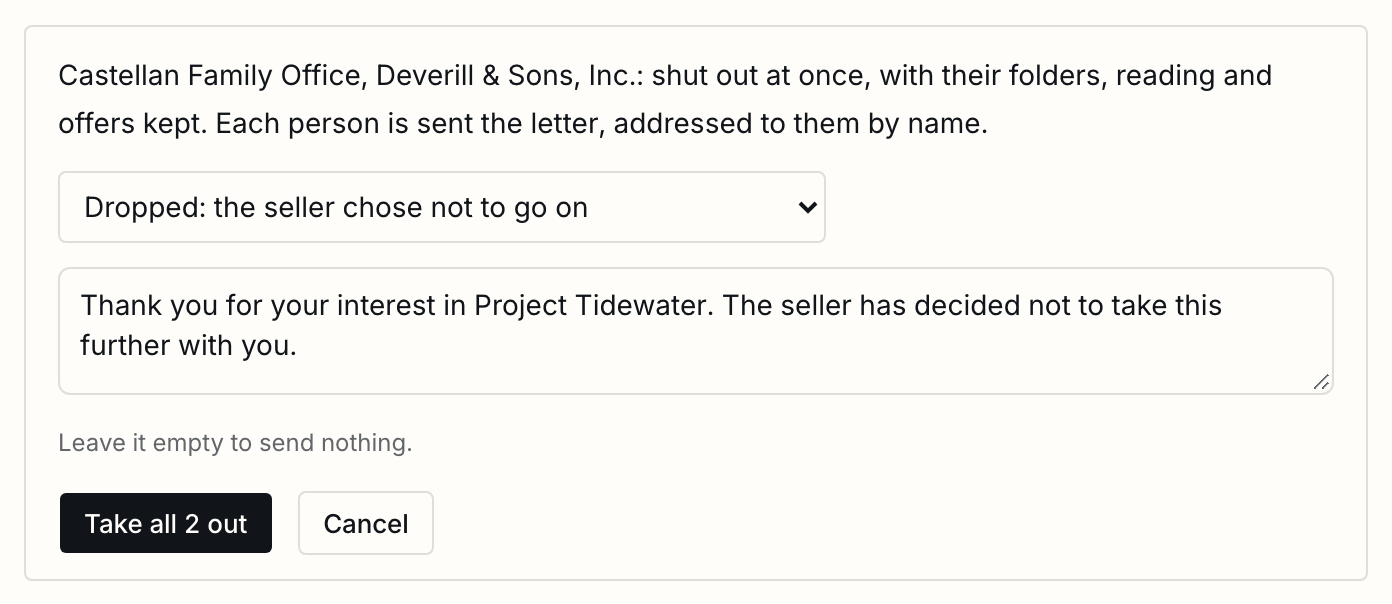
A buyer taken out can be let back in from its page. Its people get new links, at the stage it had reached.
Exclusivity
The others paused, not shut out, a reminder before it lapses, and all of them back in with one press.
Give a buyer exclusivity from its page, until a date. Every other buyer still in is paused: shut out for now, kept at its stage, and told nothing unless you write to it. You are reminded two days before it lapses. When it ends, let the others back in with one press, or leave them paused.
Certificates of destruction
One page a departing buyer signs, filed in its folder.
Most NDAs let the seller ask a departing buyer to return or destroy what it was given. From the buyer’s page, Ask for it sends its lead a one-page certificate to sign, naming the business and the day its NDA was signed. The signed copy files itself in its folder under Signed.
Starting the closing
Made with the deal's room, so releasing it seals what the buyer was shown.
With Closings on, a buyer’s page offers Start the closing. The closing is made with the deal’s room, so releasing it seals the room’s record of what the buyer was shown, and the buyer is marked as having won. You add the documents and who signs them in the closing. The Closings guide
The seller's link
A page for your client that follows the process, and never shows your notes.
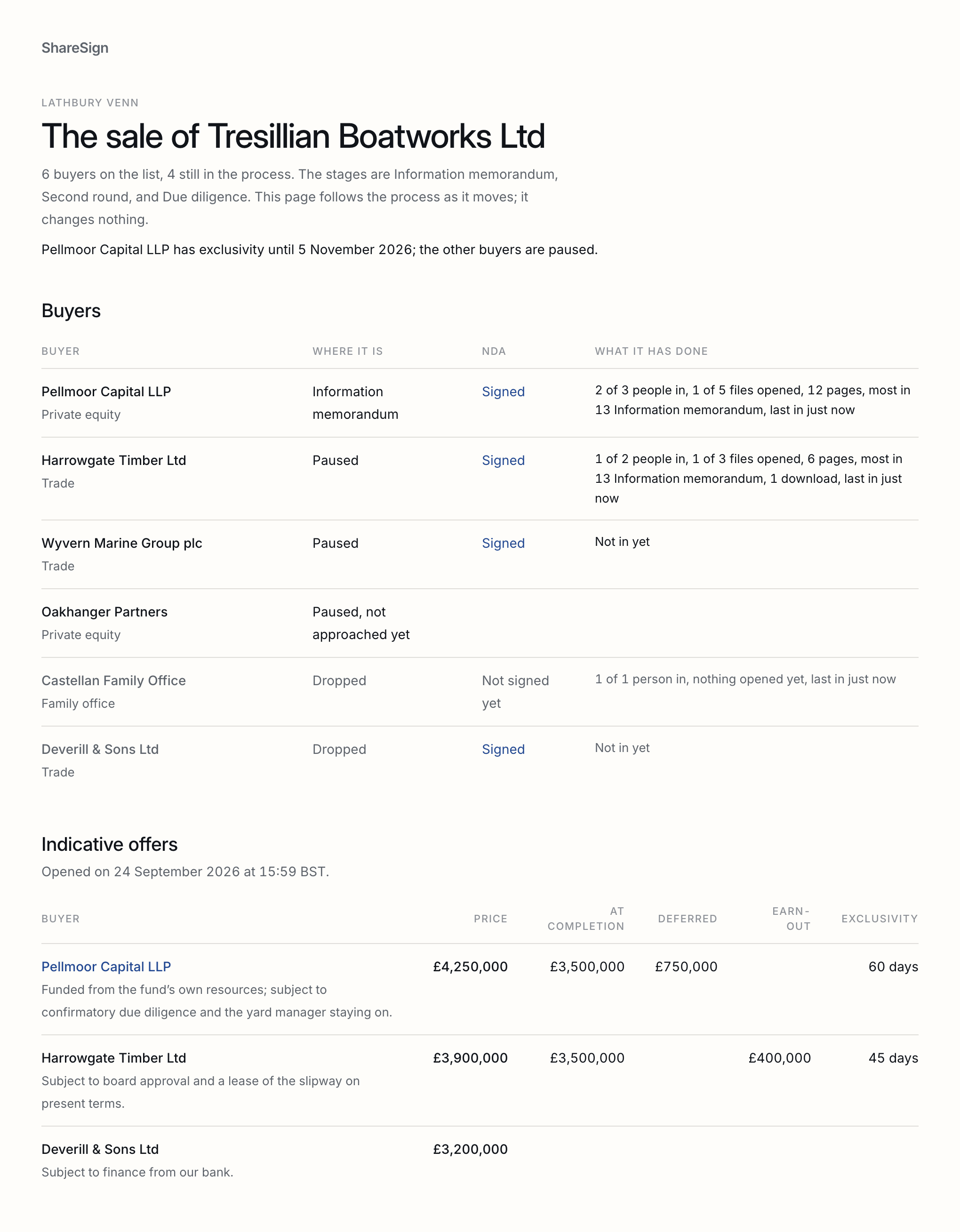
In Settings, Make the link gives you an address to send your client. Their page follows the sale as it moves: each buyer, its stage, its NDA and what it did in the room, in words, and every offer side by side once its round has opened. It never shows your notes, anybody’s address, or a sealed offer’s terms, and it changes nothing. Stop sharing, and the address opens nothing.
A copy found outside
Matched to the download it came from, by the file's fingerprint.
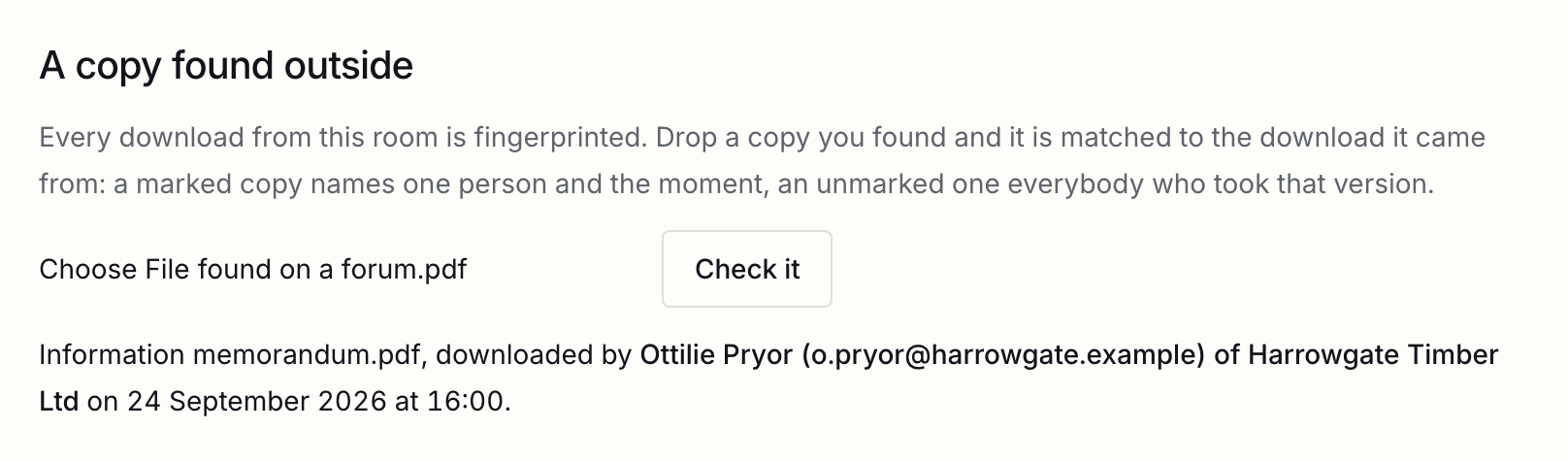
Every download from the room is fingerprinted. If a copy turns up where it should not, drop it on the deal’s Settings: a marked copy names the one person who downloaded it and when; an unmarked one names everybody who took that version. A copy that matches nothing was changed after it left, or never came from a download here. Every check is on the room’s record.
Good to know
Its own NDA, a second process for the same business, withdrawing a sale, and time zones.
| A buyer that never signs | Sees the teaser, and nothing else, until you take it out. |
|---|---|
| A person added after the NDA | Is covered by the buyer's signature, when one signature covers each buyer. Under an NDA per person, they are asked to sign their own. |
| Withdrawing a sale | Shuts every buyer out at once and closes the room. The register, the offers, and the room's record are kept. |
| Time zones | Deadlines are set and said in the deal's time zone, and each buyer also sees theirs in their own. |
| The room's lists | A room's allow and block lists apply to every buyer invited, as they do in any room. |
Tell us what you were trying to do and we will fix the page. Write from the support page.
Last changed 24 September 2026.